
Get the apps
Apps › Windows › iPhone Connect
NewSee what's new in iPhone Connect
FreeVersion 1.1.0Windows 10 and 11

Browse your device like a folder, import photos and videos with previews, back up and restore, sideload an .ipa and free up storage. It idles at about 5 MB and keeps everything on your PC.

Windows 10 and 11, 64-bit · Installs for your user, no admin rights
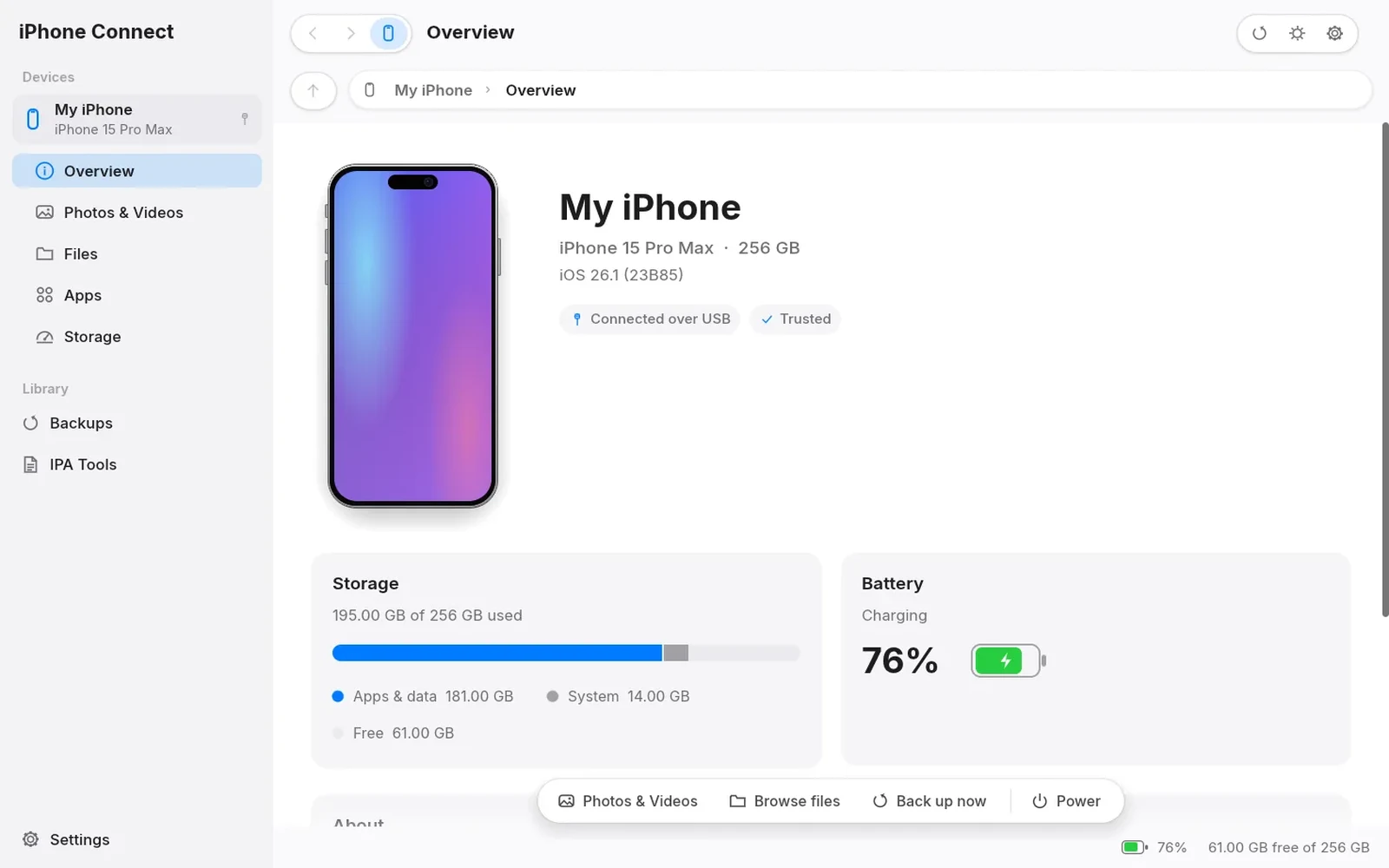
iPhone Connect device overview in light mode

Your device at a glance: model, battery, storage and details. Click a row to copy it.
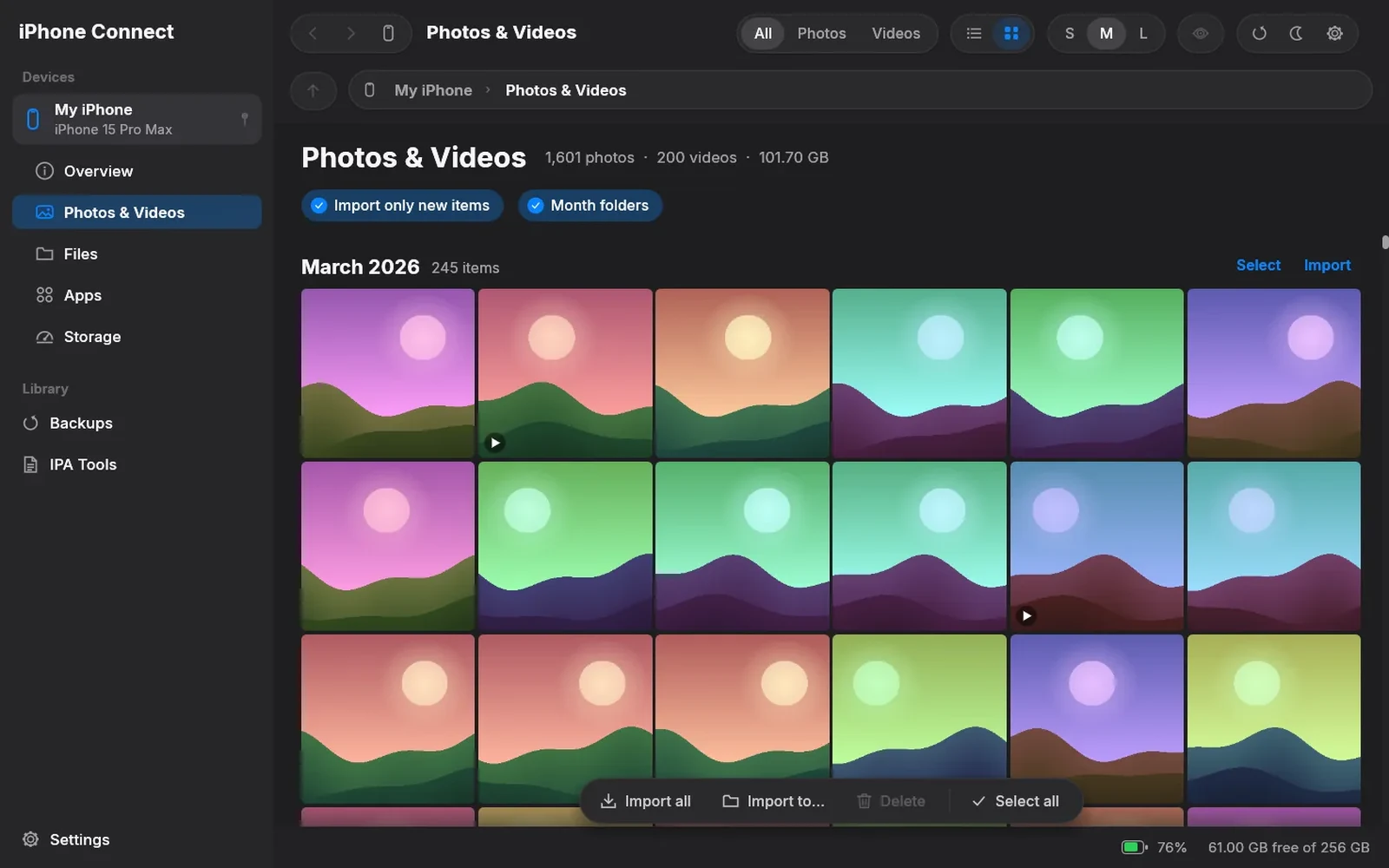
iPhone Connect photos grid in dark mode

Your camera roll by month, with real thumbnails. Import everything, one month or just what you pick.
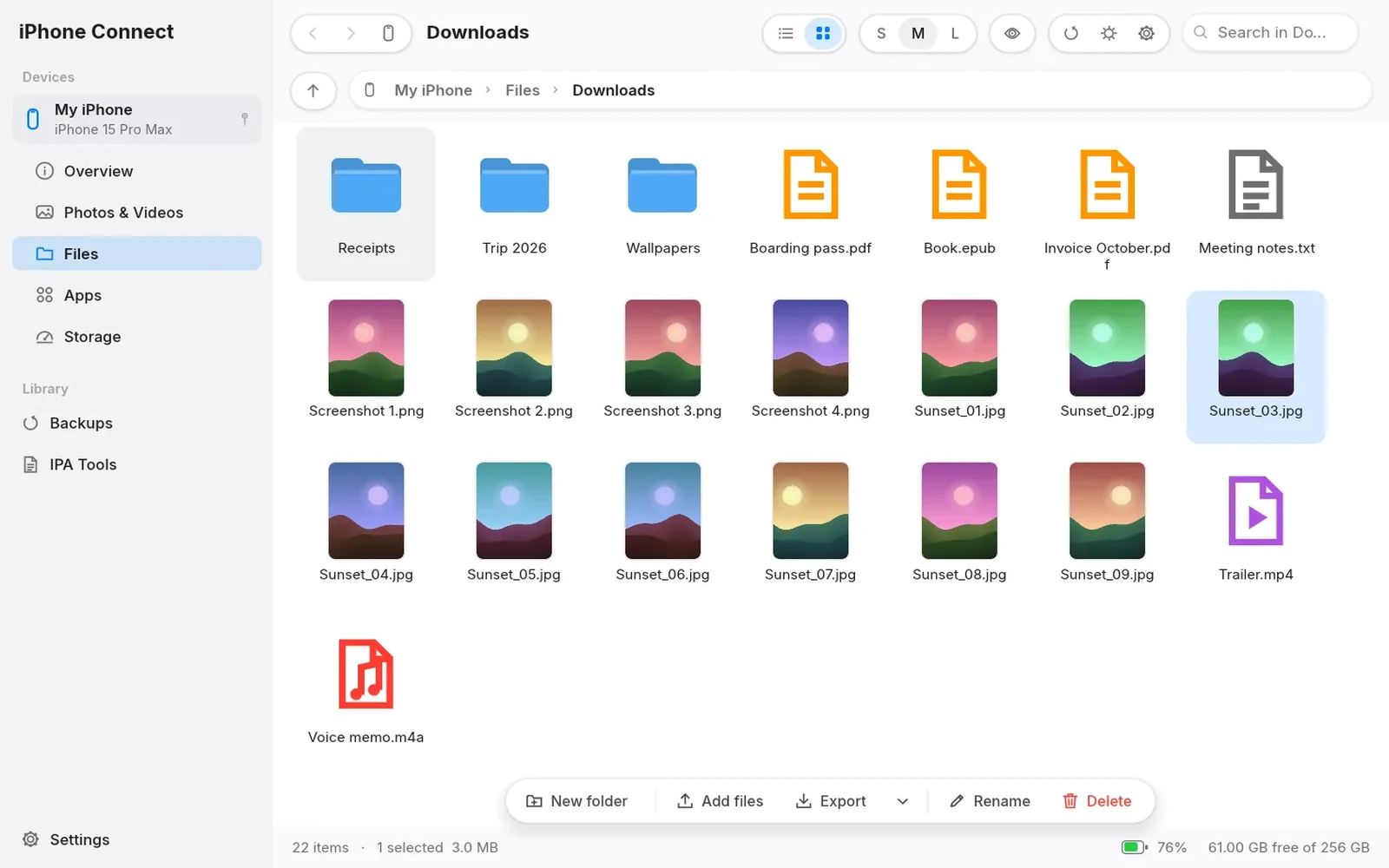
iPhone Connect files grid in light mode

Browse the device like a folder. Export any file type, or drag files in from File Explorer.
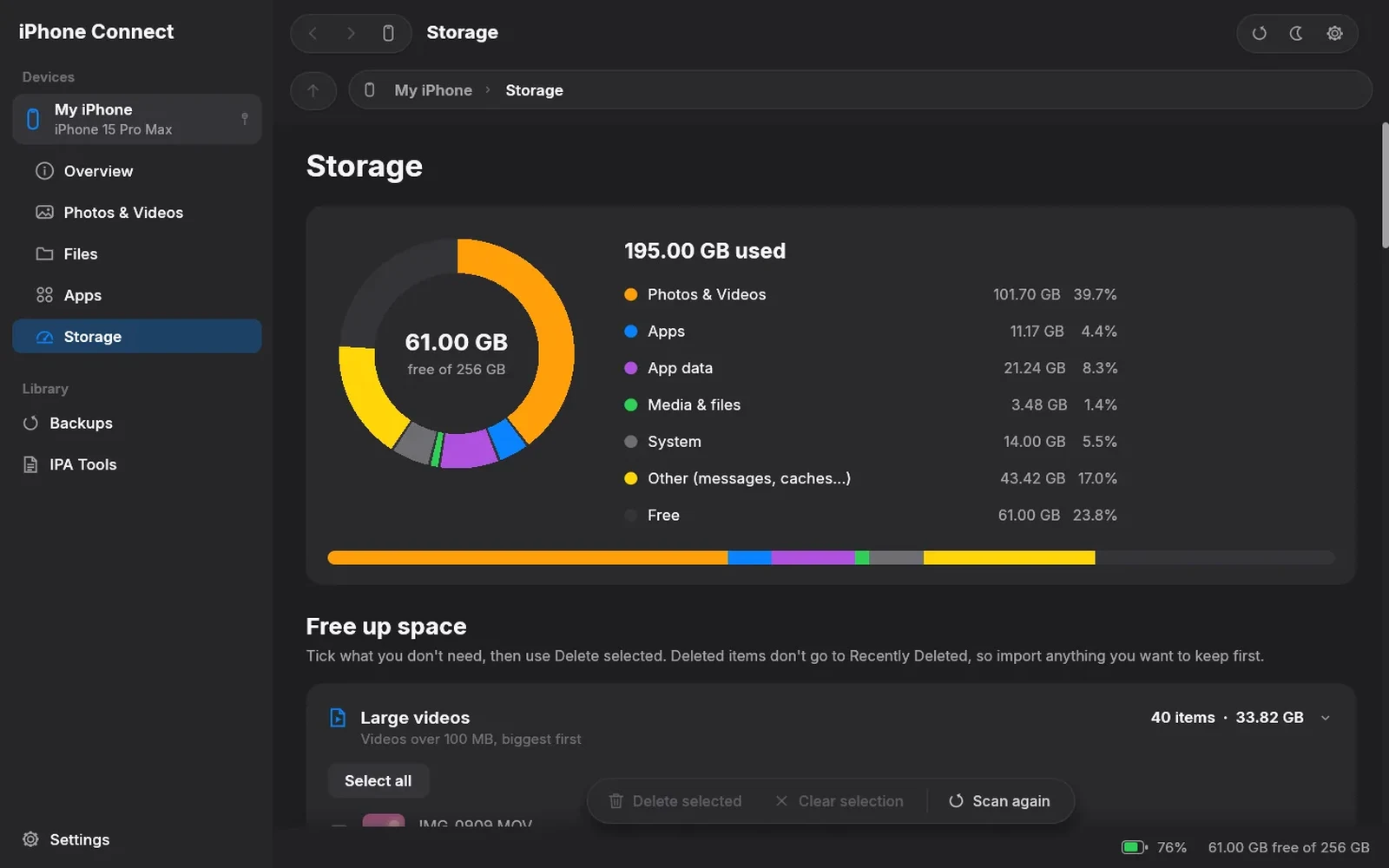
iPhone Connect storage cleaner in dark mode

See what is using space. Delete large videos, screenshots and leftovers in one go.
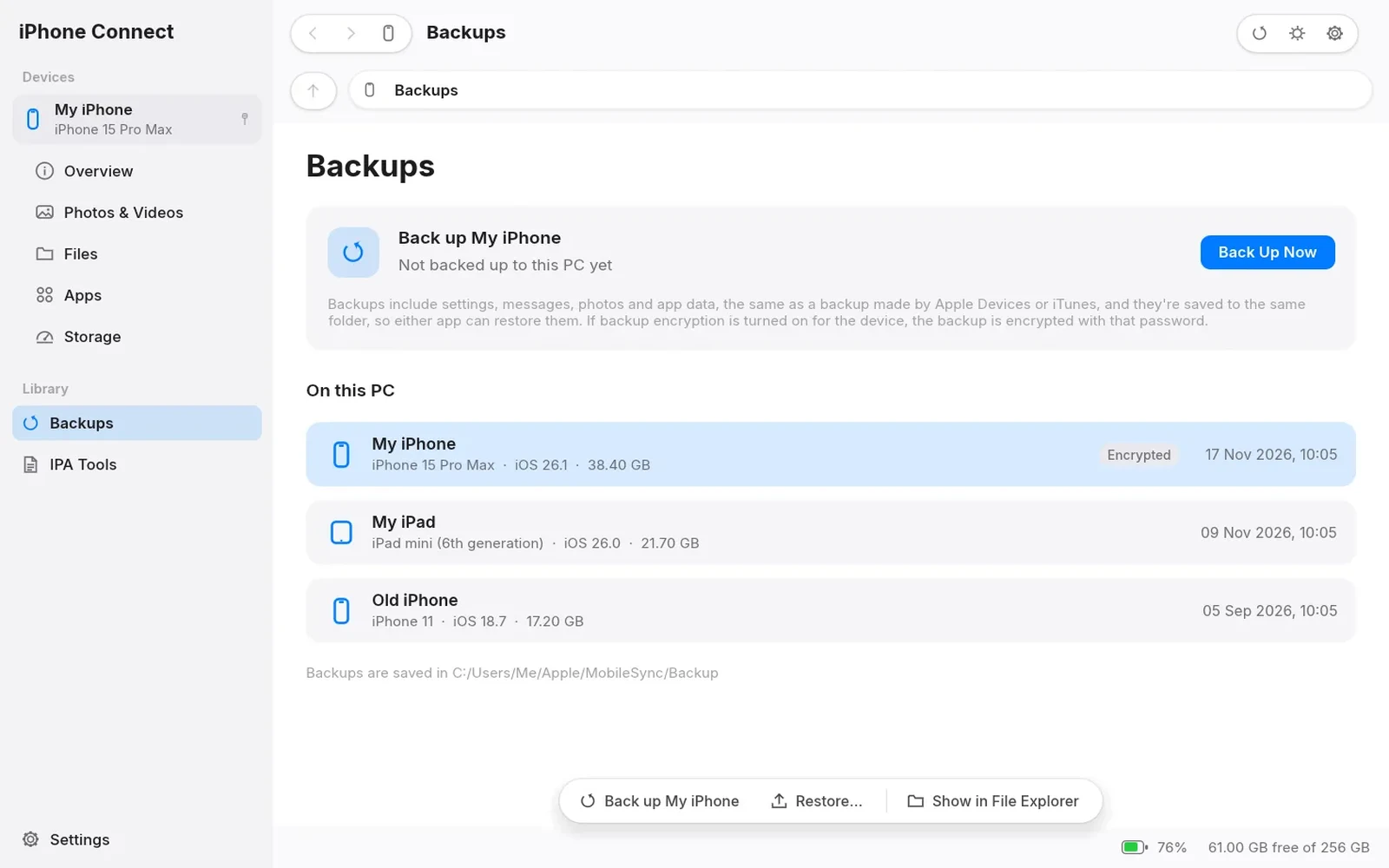
iPhone Connect backups page in light mode

Back up and restore your device. Uses the same folder as Apple Devices.
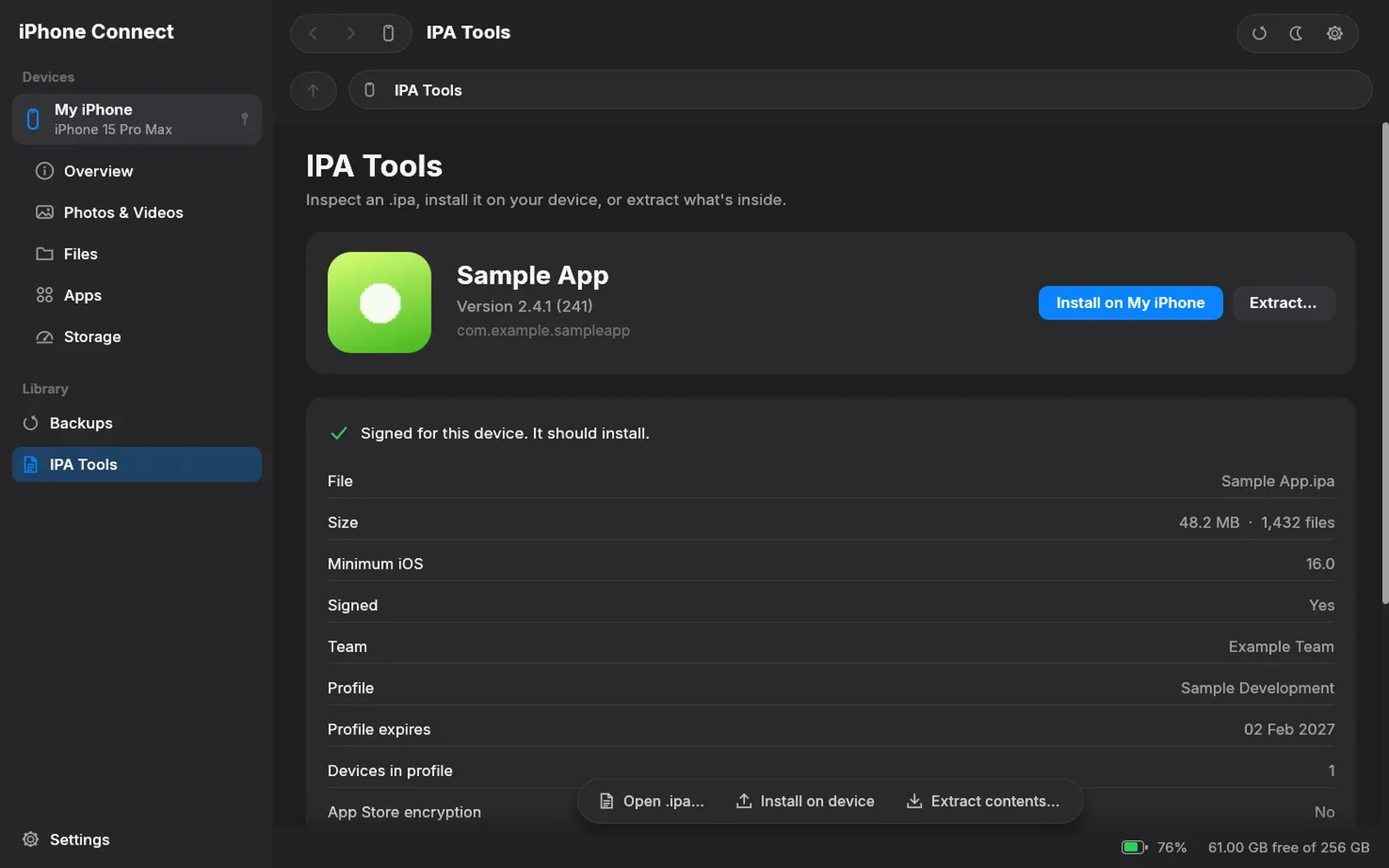
iPhone Connect IPA tools in dark mode

Open an .ipa and see if it will install. Sideload one signed for your device.

Six things iPhone Connect does

A companion for your iPhone or iPad on Windows.

OverviewYour device at a glanceModel, capacity, iOS version, battery, storage and an About list you can copy from.
PhotosCamera roll with previewsGrouped by month, list or grid, with import for everything, a month or a selection.
FilesBrowse like a folderExport files and folders, drag files in, and reach app Documents through File Sharing.
StorageA cleaner with previewsLarge videos, screenshots, possible duplicates and leftover installers, ticked by you.
BackupsBack up and restoreUses the folder Apple Devices uses, including encrypted backups.
IPA ToolsInspect and sideloadRead an .ipa, get a plain verdict, then install it or extract it.
Photos

Your camera roll, with previews.

Thumbnails from the device.

Counts and sizes your whole camera roll by month, with thumbnails taken from the previews the iPhone already keeps.

  • List or grid view, three thumbnail sizes
  • Import only new items, in month folders
  • Delete shows a preview of what goes
iPhone Connect photos
Files

Browse the device like a folder.

Details or icon view.

Sort by name, date, kind or size, search, and use breadcrumbs. Press Space for Quick Look on any item.

  • Export single files, several or whole folders
  • Drag files in from File Explorer
  • Documents of apps that use File Sharing
iPhone Connect files
Storage

See what is using space.

Donut chart and a cleaner.

A chart of photos and videos, apps, app data, media and system, plus tick-boxes for what you can clear.

  • Large videos, screenshots and possible duplicates
  • Leftover installer files and largest apps
  • Delete what you pick in one go
iPhone Connect storage
Backups

Back up and restore.

Same folder as Apple Devices.

Back up the whole device to the folder Apple Devices uses, and restore from any backup found on the PC.

  • Encrypted backups with the backup password
  • Lists device, iOS version, date and size
  • Restore options for system files and restart
iPhone Connect backups
IPA Tools

Know before you install.

Sideload or extract.

Open an .ipa to see its name, version, bundle ID, signing team and expiry, and whether it will install on the connected device.

  • A plain-language verdict
  • Install an .ipa signed for your device
  • Extract its contents
iPhone Connect IPA tools

A closer look

Light and private

Small, quiet and local.

Idle memoryAbout 5 MB
Account or cloudNone
TelemetryNone

Make it look right

Match Windows, or choose your own.

Light and Dark3 more dark themes8 accents

Free. No account.

iPhone Connect app icon
iPhone ConnectiPhone and iPad companion
Price
Free
Version
1.1.0
Runs on
Windows 10 and 11
Admin rights
Not needed
Free

Download, install and you are done.

Coming soon

Install in three steps

  1. Download iPhone-Connect-Setup-1.1.0.exe and double-click it. It installs for your account only.
  2. If SmartScreen appears, click More info, then Run anyway. The installer is not code-signed yet.
  3. Install Apple Devices or iTunes if you have not, plug in your iPhone or iPad, unlock it and tap Trust.

What's new

Release notes for iPhone Connect.

Version 1.1.0 · Nov 19, 2026

Play videos before you delete them, sort everything, select many items in more ways, and a Space-bar preview that works where you expect it.

What's new

  • Video playback before delete. Quick Look, and the previews in every delete dialog, play videos in the app with sound, a seek bar, play/pause and mute. The video is copied to a temporary folder first, with progress.
  • Sort by on Files, Photos & Videos and Apps: Name, Date, Kind or Size, ascending or descending. Photos can now be sorted for the first time. Your choice is remembered.
  • Multi-select: select mode (a tick circle on every item), drag a box to select what it touches, Select all, Clear and Invert, plus the existing click, Ctrl and Shift.
  • Space to preview on the selection, on the item under the mouse when nothing is selected, and on the Storage cleaner rows. In a video, Space plays and pauses.

Fixed

  • Space could be ignored when a control other than the search box had keyboard focus.

Full details: CHANGELOG.

Good to know

  • Playback uses the Windows media player. iPhone videos are often HEVC (.MOV); if one won't play, Windows may need Microsoft's free "HEVC Video Extensions". Open on PC always works.
  • Video playback was tested with sample H.264 videos with sound, not yet with videos copied from an iPhone. Backup, restore, delete, file transfers and sideloading have also had limited testing on real hardware, so keep a backup before you delete or restore.

Made by @gadgetcue · Telegram community · YouTube · Instagram · Facebook

Version 1.0.0 · Nov 18, 2026

The first public release: a fast, native Windows companion for iPhone and iPad. Browse the device like a folder, import photos and videos with previews, back up and restore, sideload an .ipa, free up storage, and more. About 5 MB of memory when idle. Light and dark mode with five themes.

Highlights

  • Photos & Videos: thumbnails, month sections, list and grid views with small/medium/large sizes, import by item, month or everything, and delete with a preview.
  • Files: browse and export any file type, drag files in, and copy the documents of File Sharing apps.
  • Quick Look and previews inside every delete dialog.
  • Storage cleaner with a usage chart: large videos, screenshots, duplicates, leftovers and large apps.
  • Backups: back up and restore in the same folder Apple Devices uses.
  • IPA Tools: inspect, sideload and extract .ipa files, with a signing verdict for your device.
  • Apps: icons, sizes, remove, clear cache (where iOS allows), browse and back up app documents.
  • Mockups of your iPhone or iPad model, a first-run setup guide, single-file installer, and Light, Dark, Midnight, Graphite and Dusk themes.

Fixed since the development builds

  • "Import to…" on Photos & Videos imported the whole library instead of the selection.
  • "Export folder" at the top level tried to copy the entire device.
  • One unreadable file no longer stops a whole transfer, and every copied file is size-checked before it takes its final name.
  • Overview cards no longer run off the window, and the Files toolbar no longer overlaps at the default window size.

Full details: CHANGELOG.

Good to know

  • iOS does not let a PC copy installed apps off a device as .ipa files, and sideloading needs an .ipa signed for your device.
  • Clear cache works only for apps that expose their container (developer-signed apps).
  • Backup, restore, delete, file transfers and sideloading are implemented but have had limited testing on real hardware. Keep a backup before you delete or restore, and please report problems.

Made by @gadgetcue · Telegram community · YouTube · Instagram · Facebook

Questions

What do I need on the PC?

Windows 10 or 11, plus Apple Devices (free from the Microsoft Store) or iTunes, which install Apple Mobile Device Service. The first-run guide checks this and links to the official downloads.

Can it copy an installed app off my iPhone as an .ipa?

No. Apple removed that ability years ago. IPA Tools works on .ipa files you already have. To keep app data, back up the device or back up the app documents.

Does anything leave my PC?

No. There is no account, no cloud and no telemetry.

Why does SmartScreen show a warning?

The installer is not code-signed yet. Click More info, then Run anyway.

Is every feature tested on real hardware?

Device detection, browsing, photos, the app list and the storage scan were checked on a real iPhone. Backup, restore, import, delete, sideloading and cache clearing have had less testing on hardware, so keep a backup before deleting or restoring.

Your iPhone, on your PC.

Free. No account needed.

Coming soonSee all apps