Get the apps
Apps › Windows › MacDock
NewSee what's new in MacDock
FreeVersion 2.3Windows 11

A macOS-style dock and menu bar for your desktop. Runs without admin rights or an SDK.

Windows 11 (Windows 10 mostly works) · x64 · .NET Framework 4.x

Desktop

The Mac dock, on Windows 11. A dock and menu bar for your desktop.

Dock

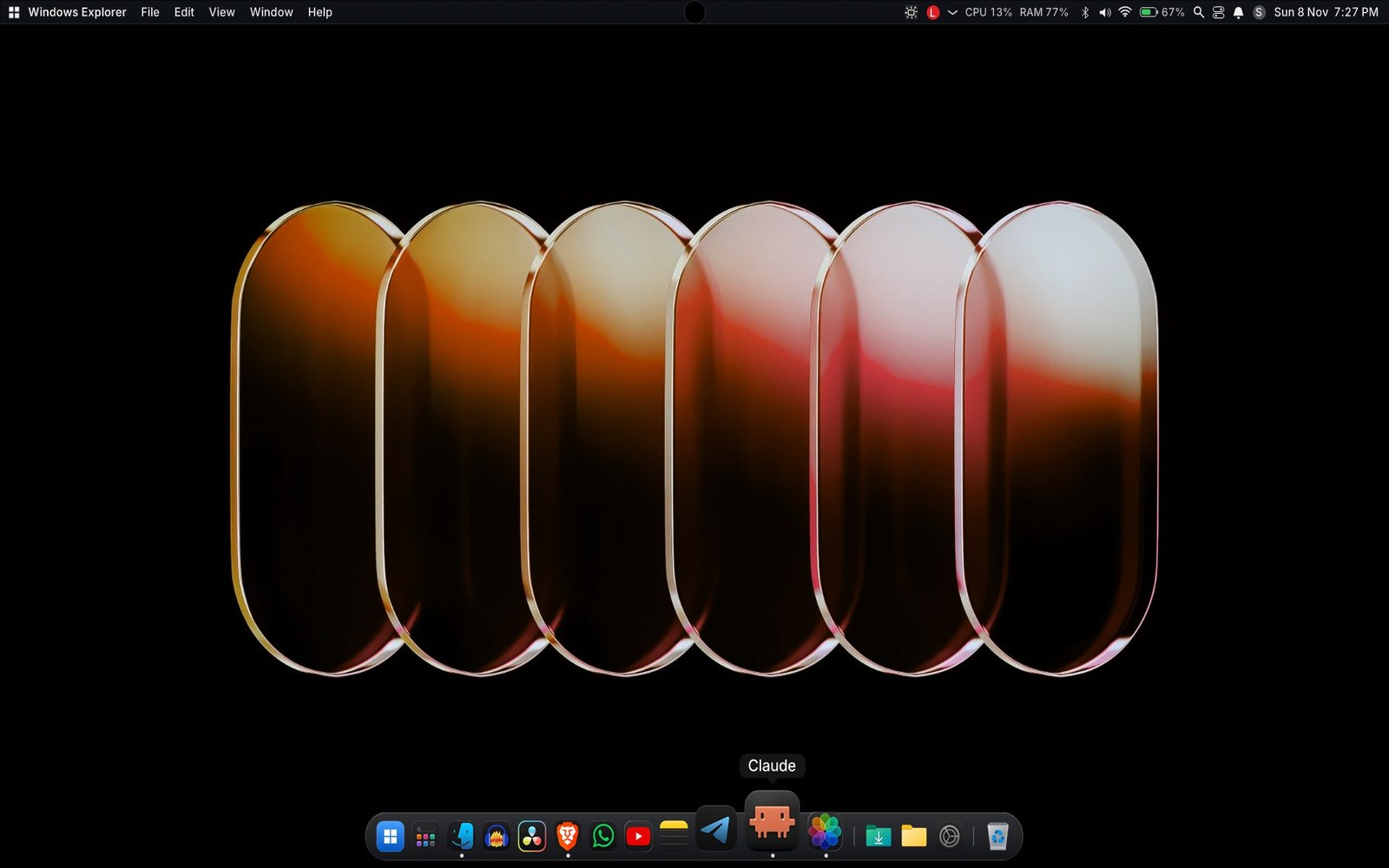
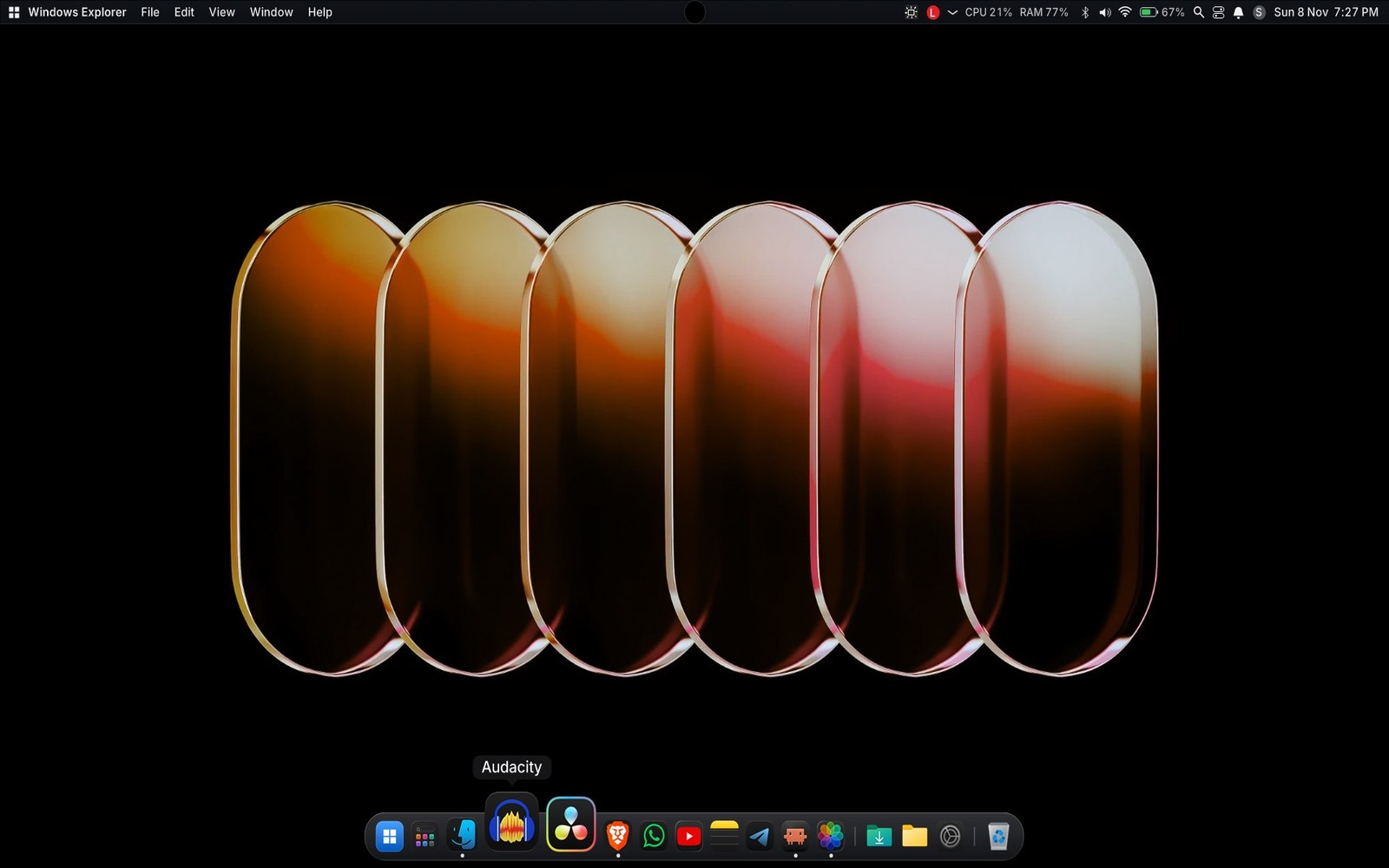
Icons grow as you move across them. Magnifying dock.

Launchpad

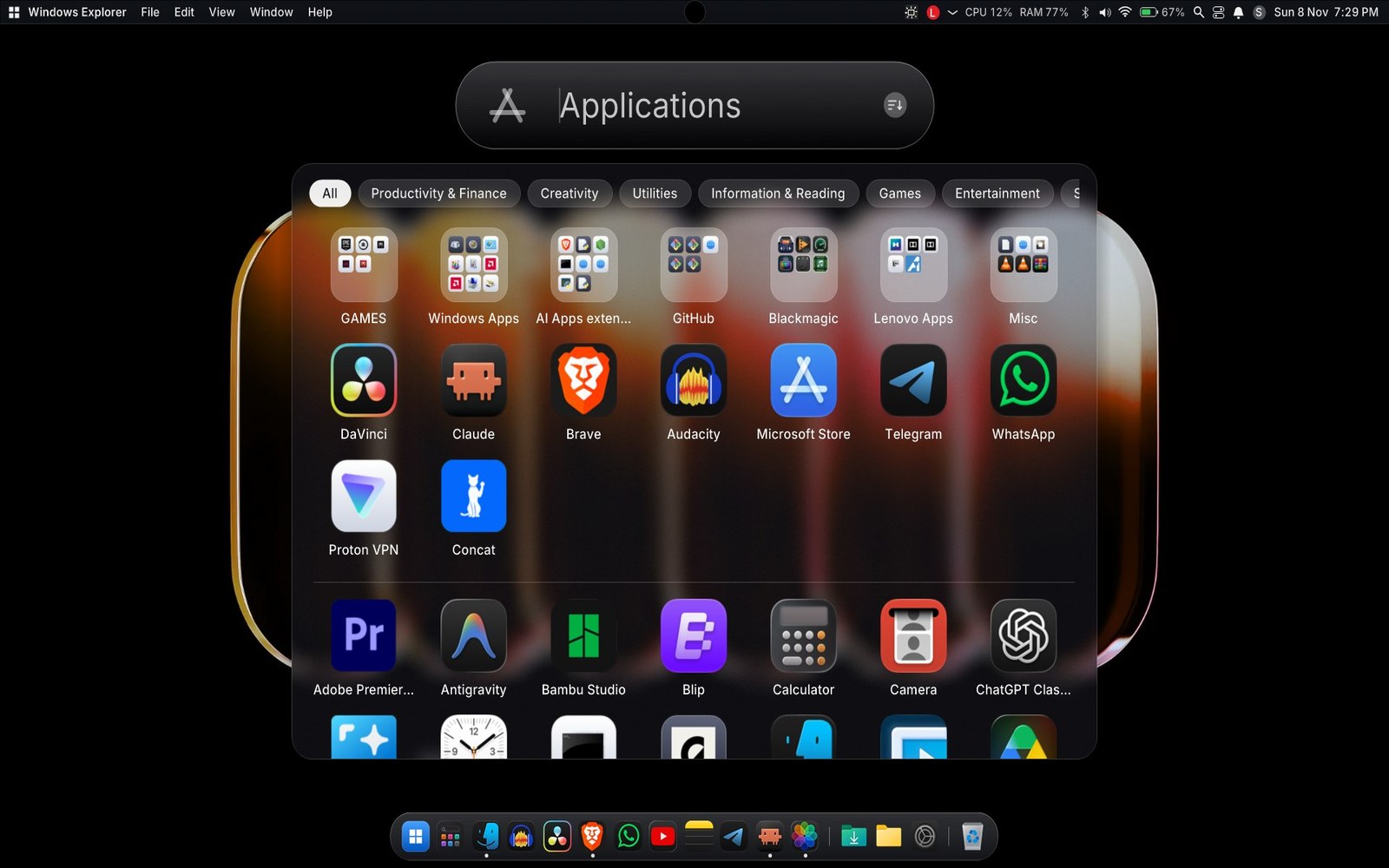
All your apps in one full-screen grid. Launchpad.

Control Center

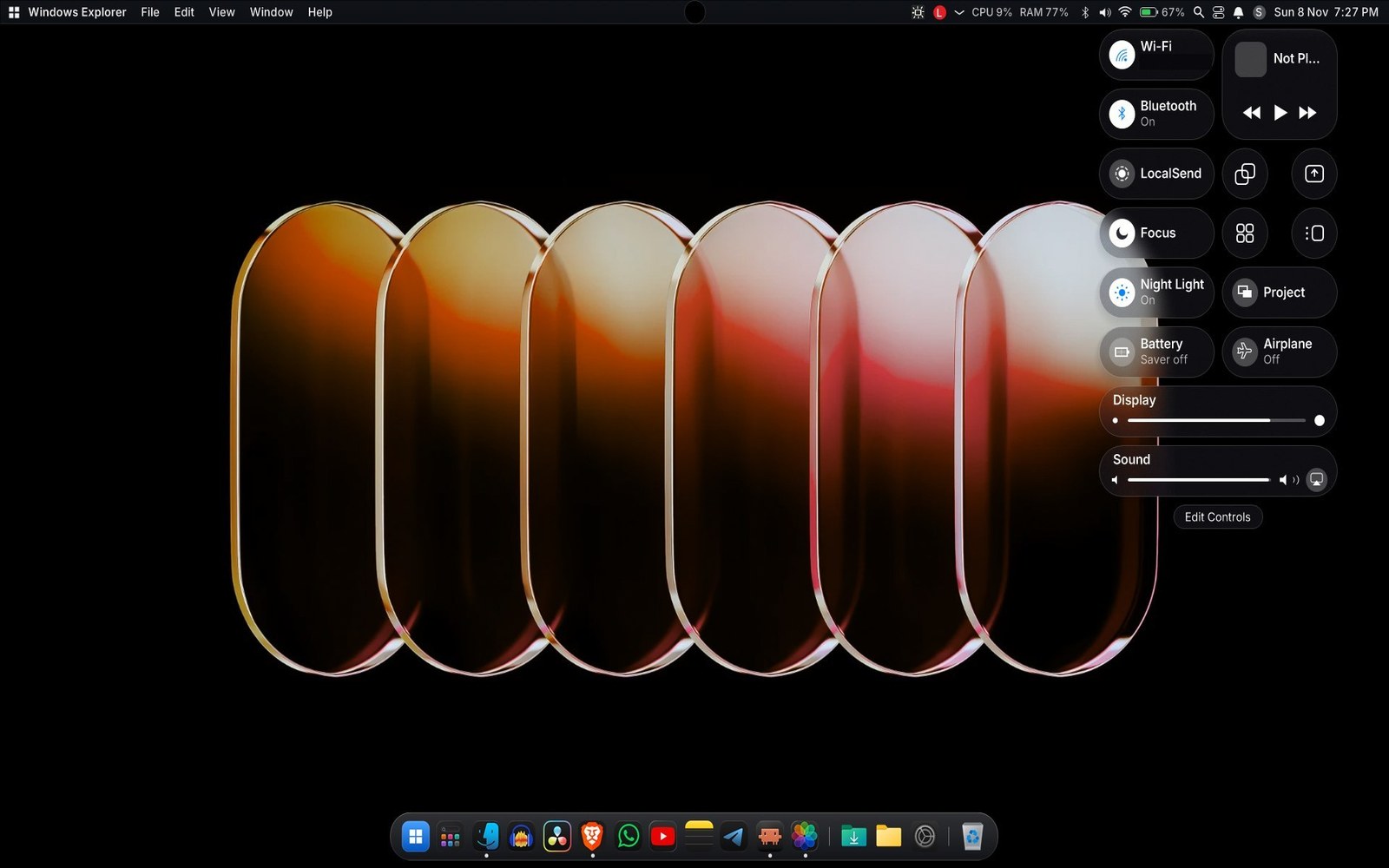
Quick settings from the menu bar. Control Center.

Settings

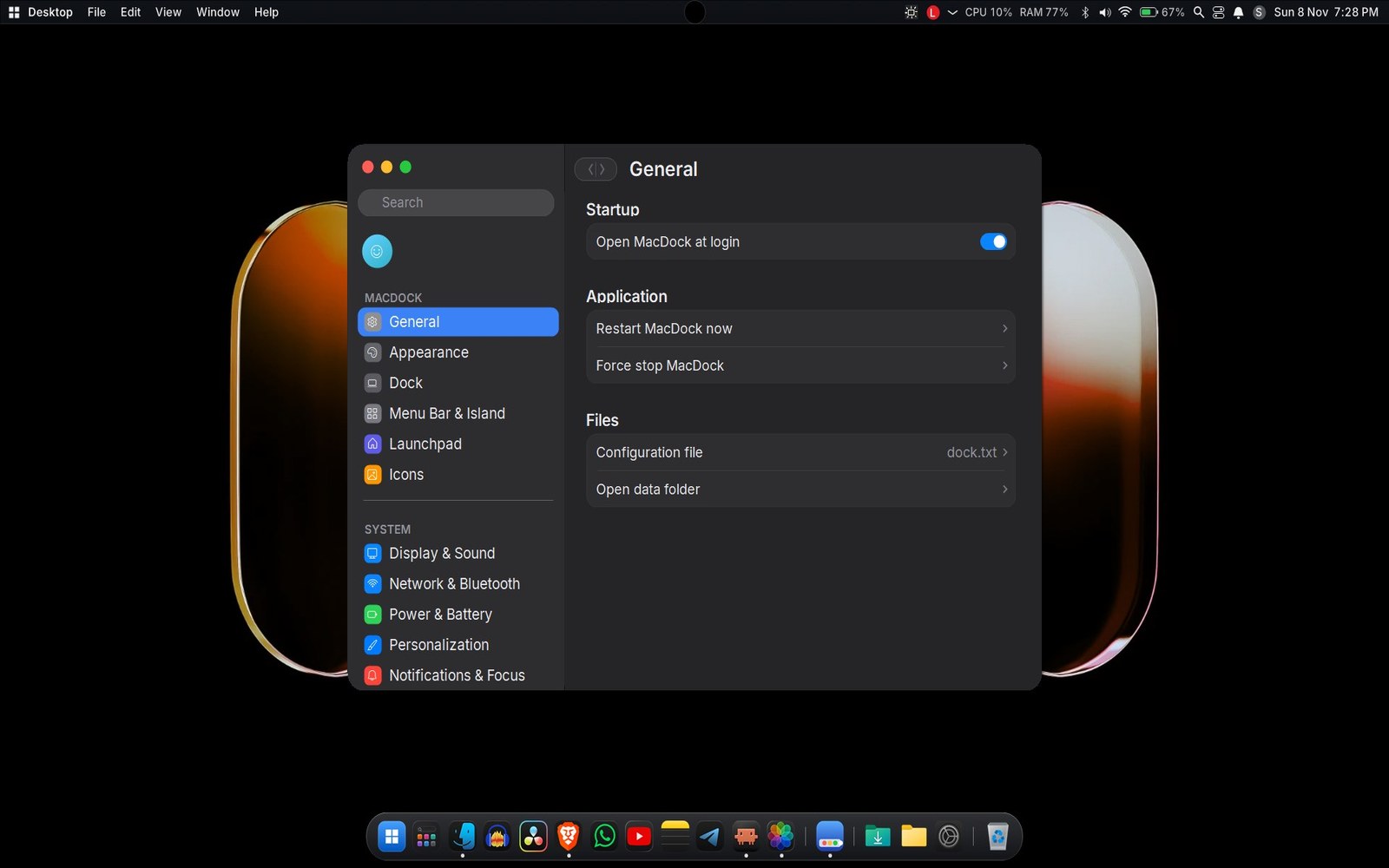
Light and dark icons, start at login, and more. Settings.

Six things MacDock does

A Mac-style desktop for Windows 11.

DockIcons that growIcons grow as you move across them.
LaunchpadAll apps, one gridEvery app in one full-screen grid.
Control CenterQuick settingsQuick settings from the menu bar.
IconsLight and darkLight and dark icon sets.
SetupNo admin or SDKRuns without admin rights or an SDK.
SafeTaskbar restoredQuitting from the menu restores your taskbar automatically.
Dock

Magnifying dock.

Icons grow as you move across them.

A macOS-style dock for your Windows desktop.

  • Light and dark icon sets
  • Starts at login
MacDock magnifying dock
Launchpad

Launchpad.

All your apps in one full-screen grid.

Open any app from one place.

MacDock Launchpad
Control Center

Control Center.

Quick settings from the menu bar.

The menu bar sits at the top of your screen.

MacDock Control Center
Settings

Make it yours.

Light and dark icons, start at login, and more.

Tune MacDock to your desktop.

MacDock settings

A closer look

If the taskbar is hidden

MacDock replaces the taskbar. After a crash, one command brings it back.

MacDock.exe /restore

Uninstall cleanly

Run Uninstall.bat. It restores the taskbar and removes autostart and the shortcut.

Uninstall.batRestores the taskbar
AutostartRemoved
ShortcutRemoved

Watch it work.

Video thumbnail

Free. No account.

MacDock app icon
MacDockDock and menu bar
Price
Free
Version
2.3
Runs on
Windows 11 · x64
Needs
.NET Framework 4.x
Free

Download the zip and run Install.bat.

Installation guide

Requirements
  • Windows 11 (Windows 10 mostly works), x64.
  • .NET Framework 4.x, already part of Windows.
  • No admin rights and no SDK needed.
  • Only one MacDock install is supported. Installing again, or a newer version, replaces the existing one in %LOCALAPPDATA%\MacDock, so don't keep several copies side by side.
  • Start the installer from File Explorer by double-clicking it, not from a terminal inside a sandboxed or packaged app, or the install can fail with a "path does not exist" popup.
Option A: single-file installer (easiest)
  1. Download MacDock-Setup.exe from the Releases page. To check it, compare certutil -hashfile MacDock-Setup.exe SHA256 with the hash in the release notes.
  2. Double-click it and press OK. If SmartScreen says "Windows protected your PC", click More info, then Run anyway.
  3. Setup stops any running MacDock, installs to %LOCALAPPDATA%\MacDock, adds a Start Menu shortcut and an entry in Settings > Apps > Installed apps, and starts the dock. It also starts at login (toggle in MacDock Settings).
  4. Silent install: run MacDock-Setup.exe /S.
Option B: zip and Install.bat
  1. Download MacDock-v2.3.zip with the button above, or from the Releases page. Check it with certutil -hashfile MacDock-v2.3.zip SHA256.
  2. Extract it to any folder (right-click, Extract All).
  3. Double-click Install.bat. It copies bin, icons and dark-icons to %LOCALAPPDATA%\MacDock, creates the Start Menu shortcut and starts the dock.

If Defender blocks or quarantines it, see "Why does Windows Defender flag MacDock?" in the Questions section below.

Updating
  • Open the Apple menu and choose Check for Updates....
  • MacDock downloads the latest release and swaps in the new MacDock.exe (the old one is kept as MacDock.exe.old).
  • It never downgrades, and your pins and settings are untouched.
  • The dock restarts itself.
  • You can also run a newer MacDock-Setup.exe over the existing install.
Start, restart, quit
  • Start or restart: open MacDock from the Start Menu, or run %LOCALAPPDATA%\MacDock\bin\MacDock.exe.
  • Quitting from the MacDock menu restores the Windows taskbar. Closing other apps never quits MacDock.
  • If the taskbar stays hidden after MacDock was killed, run MacDock.exe /restore.
Uninstall
  • Installed with MacDock-Setup.exe: Settings > Apps > Installed apps > MacDock > Uninstall, or run %LOCALAPPDATA%\MacDock\Setup.exe /uninstall (add /S to skip the prompt).
  • Installed with Install.bat: run Uninstall.bat from the extracted folder or from %LOCALAPPDATA%\MacDock.
  • Either way the taskbar is restored, MacDock is stopped, autostart and the Start Menu shortcut are removed, and the install folder is deleted.
  • Your pins and settings in %APPDATA%\MacDock are kept until you delete that folder.

What's new

Release notes for MacDock.

Version 2.3 · Nov 19, 2026

Faster idle, plus the biggest batch of new features since v2.0: status readouts in the menu bar, per-app volume, a minimize-effect picker, minimized windows as dock tiles, a redesigned welcome tour and a single-file installer.

Performance (measured on one PC, dock idle)

  • The menu bar re-read and re-parsed dock.txt about 100 times a second. Settings lookups are now remembered until the file changes. Bar update cost went from about 800 ms to about 130 ms of UI time per 10 s, and total idle CPU from about 2.3 s to about 1.2 s per 20 s (about 45% less).
  • Startup time is unchanged: about 2 s of CPU to show the bar on a warm restart. The first start after installing a new build is slower because icons are rebuilt once and then cached.

New

  • Status readouts (all off by default): disk usage, network speed (download, upload or both, with or without arrows), temperature where the PC reports it, and weather. CPU/RAM turn orange above 80% and red above 90%; the battery icon turns orange below 20% and red at 10%.
  • Per-app volume sliders in the Sound panel.
  • Minimize effect: Genie, Scale or Fade, and a smoother Genie.
  • Minimize into the Dock: minimized windows appear as thumbnail tiles before the Recycle Bin; click to restore. Optional hover window previews.
  • Per-app hidden dock: @hide-dock-apps=chrome.exe,code.exe auto-hides the dock while those apps are in front.
  • Menu bar items can be reordered and spaced; double-click empty bar space to maximize or restore the front window.
  • Settings > Menu Bar & Island regrouped into clearer sections.
  • Dynamic Island notifications: new layout with the app's artwork.
  • Folder fan: thumbnails keep their aspect ratio, videos show a frame, and no item shows a blank tile.
  • Redesigned welcome tour, full height and DPI-aware.
  • Single-file installer: MacDock-Setup.exe.
  • Trash: middle-click, or Ctrl/Shift-click, empties the Recycle Bin.

Fixed

  • Settings is no longer a topmost window.
  • The Windows taskbar stays hidden across an auto-update.
  • Crash and hang safety nets: no "Not responding" ghosting, background-thread errors are logged instead of ending the process, and a dock frozen for 60 s restarts itself.
  • Settings no longer freezes the dock on first open.

The exe is unsigned: SmartScreen and Defender

  • SmartScreen: click More info > Run anyway.
  • Defender: restore from Protection history and add an exclusion for the install folder, or submit the file as a false positive at https://www.microsoft.com/en-us/wdsi/filesubmission (choose "Software developer", upload the exe).
  • Real fix: sign the exe. Options are an OV/EV code-signing certificate (EV clears SmartScreen at once; OV builds reputation over time), or Azure Trusted Signing. Neither is set up yet.

Checksums (SHA256)

```

MacDock-v2.3.zip c93921ae3006b59a5f424eb8d092e913189c12d68720f96460bac2bf46a42a03

MacDock-Setup.exe 924f9d217a07e54f4de0f0d8d0cd4bca519a70c399177d6f8478c1969e916662

```

Version 2.2 · Nov 18, 2026

Fixed

  • Windows no longer cover the top status bar. A window dragged or moved up under the bar (CPU/RAM, Bluetooth, volume, Wi-Fi, battery) used to draw its title bar and min/max/close buttons over the bar text. The dock now holds windows below the bar while you drag them, and slides any that end up there back down. Maximized and fullscreen windows are left alone, and elevated windows can't be moved by the dock.
  • Battery popup text overlap at 125% and higher display scaling. The popup's rows were a fixed pixel height while the text scales with Windows DPI, so "Battery Saver", the large percentage and "Charging" ran into each other. Row heights now scale with the display.
  • Folder fan no longer freezes the dock. Images are read to memory before decoding so a slow or cloud-backed file can't hold the paint lock, and the "Open in Explorer" arrow is drawn as a vector shape instead of building a symbol font on every open.
  • No more multi-second freezes with thousands of installed fonts. Fonts are loaded from their files instead of being looked up by name, and text with glyphs Inter lacks falls back to Segoe UI instead of triggering a system-wide font search.
  • A frozen app can no longer freeze the dock: window titles are read from cache and windows are restored asynchronously.

Changed

  • Folder fans warm up at startup so the first folder click opens instantly.
  • Open windows come from a background scan (new DockScan), and icons are cached on disk and refreshed in the background, so the dock paints without waiting on slow apps.
  • Pending elevated (UAC) prompts are brought forward more reliably.
  • The LocalSend popup scanning label no longer shifts the layout.
  • MacDock.exe --fan-bench <folder> writes folder fan frame timings for diagnosing slow opens.
Version 2.1 · Nov 16, 2026

Added

  • Send with LocalSend from Explorer. Right-click any file or a multi-selection and choose "Send with LocalSend" (also added to the Send to menu). A new popup lists nearby devices, shows Scanning while it looks, and sends the files to the one you pick. Downloads fan items have the same entry in their right-click menu.
  • New LocalSend popup with a device list, progress and clean text alignment.
  • LocalSend port fallback. If port 53317 is already taken by the LocalSend app or a stale instance, MacDock moves to the next free port and peers still find it.
  • Icon master switch and custom icon packs. Settings > Icons has a "Use original app icons" switch that turns off MacDock's styled icons and any custom pack at once. Install your own pack from a folder or .zip of PNG, ICO, ICNS or JPG files named after each app (for example Chrome.png), open the pack folder, or remove it again.
  • Split view in the dock. Windows tiled with Windows 11 snap layouts get one combined item; click it to bring the whole group forward together, click again to minimize it.
  • Welcome tour for first-time users, reachable later from Settings.
  • Rename Control Center tiles with the pencil chip when editing.
  • Pending UAC prompts surface automatically. With the taskbar hidden, an elevation prompt that was waiting as a minimized button now comes to the front.

Changed

  • Folder fan menus appear on top. Right-click menus in a folder fan open above the fan instead of behind it. The "Open in Explorer" arrow stays at the top of the fan.
  • Tray icons: left click brings the app's own window forward, instead of only opening the Windows flyout. Apps with no window get a click through UI Automation with the flyout kept invisible.
  • Mission Control reopens faster through a pre-warmed window, and scrolling stays smooth.
  • Animation timing follows the compositor refresh steadily, giving smoother hover, scroll and fade motion.
  • Control Center opens instantly: Wi-Fi, WMI and radio state are cached and refreshed in the background.
  • Window previews keep the close X on top after the layout changes.
  • Updater rolls back and keeps the dock running if the restart cannot be scheduled, and shows the reason when an update fails.

Fixed

  • Folder click hang. Opening a folder fan could freeze the dock for seconds while big images decoded. Thumbnails now come from the shell's cache and Explorer hand-offs run off the UI thread.
  • Web app icons. Aero Browser (Safari) web apps and Brave, Edge and Chrome web apps now keep their own icon in the dock and Launchpad, and a second click minimizes the right window. Web apps with a profile suffix also count as running.
  • UWP windows that were minimized or suspended no longer fall back to the logo.
  • Settings and Control Center no longer block on slow Wi-Fi, radio or WMI queries.
  • Hung netsh calls can no longer stall the caller.
  • Dock stays in sync while icons are being dragged.
Version 2.0 · Nov 13, 2026

Added

  • Use original app icons toggle (Settings > Icons): show each app's own icon instead of the MacDock icon pack; per-app choice and custom icons from the right-click menu.
  • Folders dropped on a dock icon are pinned instead of being opened with the app; hold Shift or Ctrl to move or copy into a folder icon.

Changed

  • Smoother scrolling in Settings and Mission Control: a critically damped spring glides wheel notches together, and the page snapshot is reused instead of re-taken per notch.
  • Window previews refresh when the exe changes, an entry is 10 minutes old, or a new window appears.
  • Taskbar sync: owned windows (dialogs, pop-ups) are no longer shown as taskbar buttons, and UWP windows hosted by ApplicationFrameHost resolve to the real app.
  • Mission Control: closing a window drops its tile and relayouts; thumbnails re-place correctly when cells move.
  • Frame-time logging is off outside profiling, removing needless frame drops.

Updating

  • Apple menu > Check for Updates... downloads this release's zip and swaps in the new MacDock.exe automatically.
Version 1.9 · Nov 11, 2026

Added

  • Tray icons in the status bar, with a collapsible tray and an arrow toggle; sharper tray icons and fixed click routing.
  • Apple menu: Auto-hide Dock and Check for Updates.
  • Battery saver toggle.
  • CPU and RAM status bar toggles.
  • Profile picture support.
  • New iOS-style Settings sidebar icons.

Changed

  • Settings: fade, tidier spacing, smooth scrolling and a consistent Inter type scale.
  • Dark dock icons.
  • Faster startup via an icon cache.
  • Smoother dock hover magnify.
  • Second click closes status bar menus.

Fixed

  • Idle Dynamic Island circle.
  • Launchpad issue with dark icons.
  • Web apps show their own icon in the running dock.

Install: extract MacDock-v1.9.zip and run Install.bat.

Version 1.8 · Nov 10, 2026

Added

  • Screenshot and screen record buttons in the menu bar and as Control Center tiles (independent toggles in Settings).
  • Launchpad sort by install date.
  • Control Center dark mode tile; tiles can be edited, removed, added, reordered by drag and drop, and resized.
  • Hide Start icon option, dock corner radius setting, and a new Recycle Bin icon.

Fixed

  • Scrolling in folder fans and Settings.
  • Launchpad context menu flips to stay on screen.

Install: extract MacDock-v1.8.zip and run Install.bat.

Version 1.7 · Nov 9, 2026

Added

  • Folder fan redesign: labels lean along the arc, thumbnails tilt like the macOS Dock, and an "Open in Explorer" arrow sits at the top of the fan.
  • Click-to-pin folder fans: click a folder stack to open its fan and keep it open; click the folder or the chevron tile to fold it back.
  • Dock tile chevron with smooth fade/scale while a fan is open.
  • Emoji in Dynamic Island notifications.
  • Uninstall from Launchpad finds uninstallers next to apps that don't register one.

Changed

  • LocalSend: TLS 1.2 + 1.3, no Expect: 100-continue (better compatibility with newer peers).
  • Icons are never blank: transparent icons fall back to a tile with the app's initial.

Install: extract MacDock-v1.7.zip and run Install.bat.

Version 1.6 · Nov 9, 2026

Added

  • Show Dynamic Island toggle in Settings (Menu Bar & Island): hide or show the Island pill live.
  • Admin apps in the dock: elevated (run as administrator) apps now appear and show as running.
  • Dock clamp: maximized windows no longer reach below the dock's top edge, even for apps that ignore the work area.
  • Settings fade: the Settings window fades out when closed.

Changed

  • Smoother icon glide when apps open or close; running-only apps keep a stable order.
  • Hover previews wait for the cursor to rest, so fast sweeps across the dock stay smooth.
  • Preview card sits above the icon label, with a larger red close button in its corner.
  • No icon magnify, preview pop-up or auto-hide reveal while dragging or resizing a window past the dock.
  • The hovered icon in a folder fan now draws on top of its neighbours.
Version 1.5 · Nov 8, 2026

Run Uninstall.bat (extracted folder or %LOCALAPPDATA%\MacDock\Uninstall.bat). It restores the taskbar, stops MacDock, removes autostart, the guard task, the shortcut and the install folder. If the taskbar stays hidden after a crash: MacDock.exe /restore.

Short version: it is a false positive, but it is understandable why it happens.

  • Unsigned, new, self-built. The exe is built with the C# compiler that ships with Windows and has no code-signing certificate. Unsigned executables with few downloads have no reputation, so SmartScreen and Defender's cloud heuristics treat them cautiously.
  • It does the things a shell does. MacDock uses global/low-level Windows hooks (keyboard, gestures), enumerates and thumbnails other apps' windows (window enumeration, DWM), applies glass effects with SetWindowCompositionAttribute, simulates input, hides or replaces taskbar behavior, and registers startup entries. Heuristic engines associate that combination with keyloggers and droppers, even though here it is used for the dock, menu bar and window previews.
  • What it does not do: MacDock has no account and no analytics or telemetry code. Its network use is limited to LocalSend transfers with devices on your LAN, the optional macosicons.com icon lookup, and fetching favicons for website pins.

You do not have to take our word for it:

  • The source is fully open in this repo. Read it, or build it yourself: mac-dock\build.bat (run it from a folder path without a # in it).
  • Check the zip's SHA256 (listed in each release) and upload the file to VirusTotal; a few engines may flag it heuristically.

If Defender quarantined it: Windows Security > Virus & threat protection > Protection history > select the item > Actions > Restore (or Allow on device). To stop it being re-flagged, add an exclusion: Virus & threat protection > Manage settings > Exclusions > Add or remove exclusions > Add an exclusion > Folder > %LOCALAPPDATA%\MacDock. Then re-run Install.bat.

Help us: you can report the false positive to Microsoft at <https://www.microsoft.com/en-us/wdsi/filesubmission> (choose "Software developer", upload the exe). Each accepted report improves detection for everyone.
Version 1.4 · Nov 8, 2026

Added

  • Reworked Genie minimize: slice-based effect with a bottom-first pull, an accelerating curve and even frame pacing, so windows are sucked into (and restored from) the dock icon more smoothly.
  • LocalSend from Explorer: a "Send to > MacDock LocalSend" shortcut and MacDock.exe --send <file> queue files for the LocalSend panel; optional autosave to accept incoming files without a prompt.
  • Keyboard access: Ctrl+Alt+Shift+D puts the keyboard on the dock (arrows, Home/End, Enter to open, Menu key for the context menu, Esc to leave).
  • Multi-monitor and DPI: choose the dock monitor (monitor= in docksize.txt); layout and fonts follow the monitor's DPI (per-monitor DPI manifest).
  • Windows theme and Reduce Motion: follows the Windows colour mode and "Animation effects" switch; with animations off the bounce and open/close effects are instant.
  • Start-menu style Launchpad/All Apps motion: short rise-and-fade open/close, prewarmed hidden copy, background-blurred backdrop.
  • Uninstall from Launchpad: uses the program's own uninstaller (UAC when needed) and hides leftovers of programs that no longer exist.
  • Window preview close button and an updated app logo used for every MacDock window.

Changed

  • Launched apps are brought to the front once their window appears; a single short bounce acknowledges a launch.
  • Dragging a dock icon starts immediately (no long press).
  • Settings window stays above the dock and maximizes into the area above it.
  • Popup menus capture a margin around them so the glass blur is correct at the edges.
  • MacDock relaunches itself through Explorer when started from a terminal or another app, so it is never tied to that process.
  • Notifications and window-preview improvements, Win32 interop cleanups.

Fixed

  • Window previews and focus helpers when a window is minimized or topmost.
  • Stale or missing icons in Launchpad.

Short version: it is a false positive, but it is understandable why it happens.

  • Unsigned, new, self-built. The exe is built with the C# compiler that ships with Windows and has no code-signing certificate. Unsigned executables with few downloads have no reputation, so SmartScreen and Defender's cloud heuristics treat them cautiously.
  • It does the things a shell does. MacDock uses global/low-level Windows hooks (keyboard, gestures), enumerates and thumbnails other apps' windows (window enumeration, DWM), applies glass effects with SetWindowCompositionAttribute, simulates input, hides or replaces taskbar behavior, and registers startup entries. Heuristic engines associate that combination with keyloggers and droppers, even though here it is used for the dock, menu bar and window previews.
  • What it does not do: MacDock has no account and no analytics or telemetry code. Its network use is limited to LocalSend transfers with devices on your LAN, the optional macosicons.com icon lookup, and fetching favicons for website pins.

You do not have to take our word for it:

  • The source is fully open in this repo. Read it, or build it yourself: mac-dock\build.bat (run it from a folder path without a # in it).
  • Check the zip's SHA256 (listed in each release) and upload the file to VirusTotal; a few engines may flag it heuristically.

If Defender quarantined it: Windows Security > Virus & threat protection > Protection history > select the item > Actions > Restore (or Allow on device). To stop it being re-flagged, add an exclusion: Virus & threat protection > Manage settings > Exclusions > Add or remove exclusions > Add an exclusion > Folder > %LOCALAPPDATA%\MacDock. Then re-run Install.bat.

Help us: you can report the false positive to Microsoft at <https://www.microsoft.com/en-us/wdsi/filesubmission> (choose "Software developer", upload the exe). Each accepted report improves detection for everyone.
Version 1.3 · Nov 7, 2026

Added

  • Drag and drop: drop files onto dock apps to open them with that app.
  • Launchpad sort icon.
  • Executable metadata (version info) and an application manifest.

Changed

  • Antivirus hardening to reduce false positives: guard task is now opt-in; restarts no longer use cmd/ping; installer no longer uses PowerShell ExecutionPolicy Bypass; installer output is transparent.
  • Faster folder hover.
  • Win32 interop cleanups and window preview improvements.

Fixed

  • Build error from missing keyboard-hook declarations.

Verify your download (SHA256)

  • MacDock-v1.3.zip: 9F4AF3C27B7F3BB98E57F1D0170C63B34BCF5802DDD135595ED6E3CF3307A584
  • bin\MacDock.exe: ACC85D116813263BEE04109B15F3CD7C4853545450820BC617A8600665DF5155
Version 1.2 · Nov 7, 2026

Added

  • LocalSend: AirDrop-style file sharing with nearby devices (LocalSend v2 protocol), with a built-in loopback self-test (MacDock.exe --ls-selftest).
  • Downloads and folder fan: folders on the dock open as a Fan, Grid or List. Includes curve and grow options, hover grow, a right-click menu, and drag-to-Recycle-Bin.
  • Folder colors and rename for dock folders (rename also works in Launchpad).
  • Media tile in Control Center showing artwork and the current title.
  • New Control Center tiles: Night light, Project, Battery saver and Airplane mode.
  • Dock size and magnification sliders in Settings > Dock.
  • Fullscreen handling: the dock, top bar and Dynamic Island step aside while a fullscreen app owns the display.
  • Settings open animation and hover glyphs on the traffic-light buttons.

Changed

  • Menus now open above the title.
  • Window preview and Win32 helper cleanups.

Fixed

  • Frosted-glass background on popup menus.
  • Dock, bar and island visibility after sleep, unlock and display changes.
Version 1.1 · Nov 7, 2026

Adds window previews: hover any running app's dock icon to see live thumbnails and titles of its windows; click one to focus it. Unzip to %LOCALAPPDATA%\MacDock and run bin\MacDock.exe.

Version 1.0 · Nov 7, 2026

Prebuilt MacDock for Windows 11. Unzip to %LOCALAPPDATA%\MacDock and run bin\MacDock.exe.

Questions

Why does Windows Defender flag MacDock?

It hides and replaces the taskbar, which some scanners treat as suspicious. See the README on GitHub for details and how to allow it.

My taskbar is hidden after a crash

Run MacDock.exe /restore. Quitting MacDock from its menu restores the taskbar automatically.

How do I uninstall?

Run Uninstall.bat. It restores the taskbar and removes autostart and the shortcut.

The Mac dock, on Windows 11.

Free. No account needed.