Get the apps
Apps › Windows › Safari for Windows
NewSee what's new in Safari for Windows
FreeVersion 1.0.0Windows 10 and 11

Live GPU glass behind the toolbar and sidebars, built-in Shields, an AI assistant and on-device voice typing, on the Chromium WebView2 engine. One small installer, no admin rights.

Windows 10 and 11, 64-bit · An independent project, not made by or endorsed by Apple Inc.
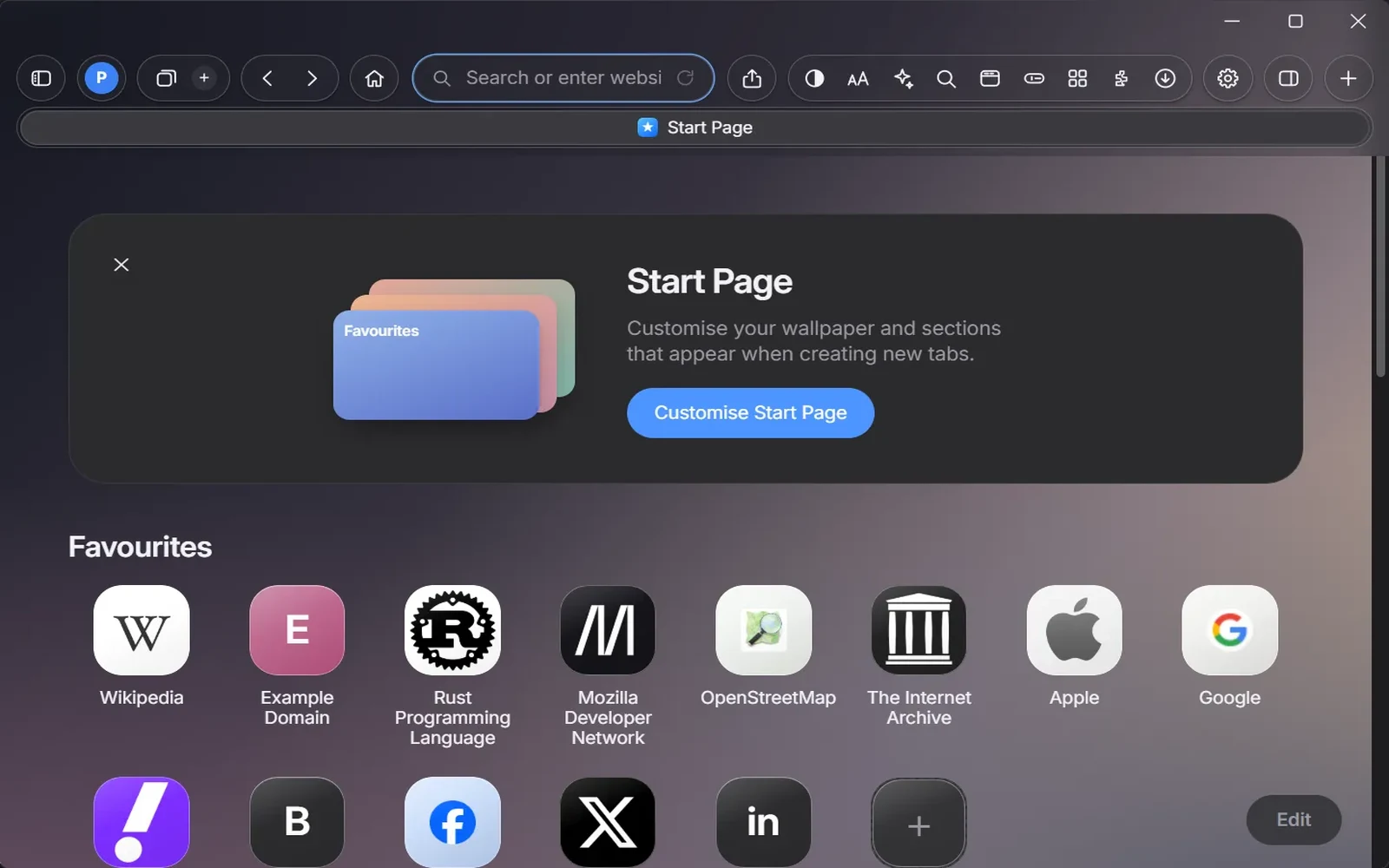
Safari for Windows Start Page in dark mode

Favourites, wallpapers and your own layout. Drag to reorder, add folders.
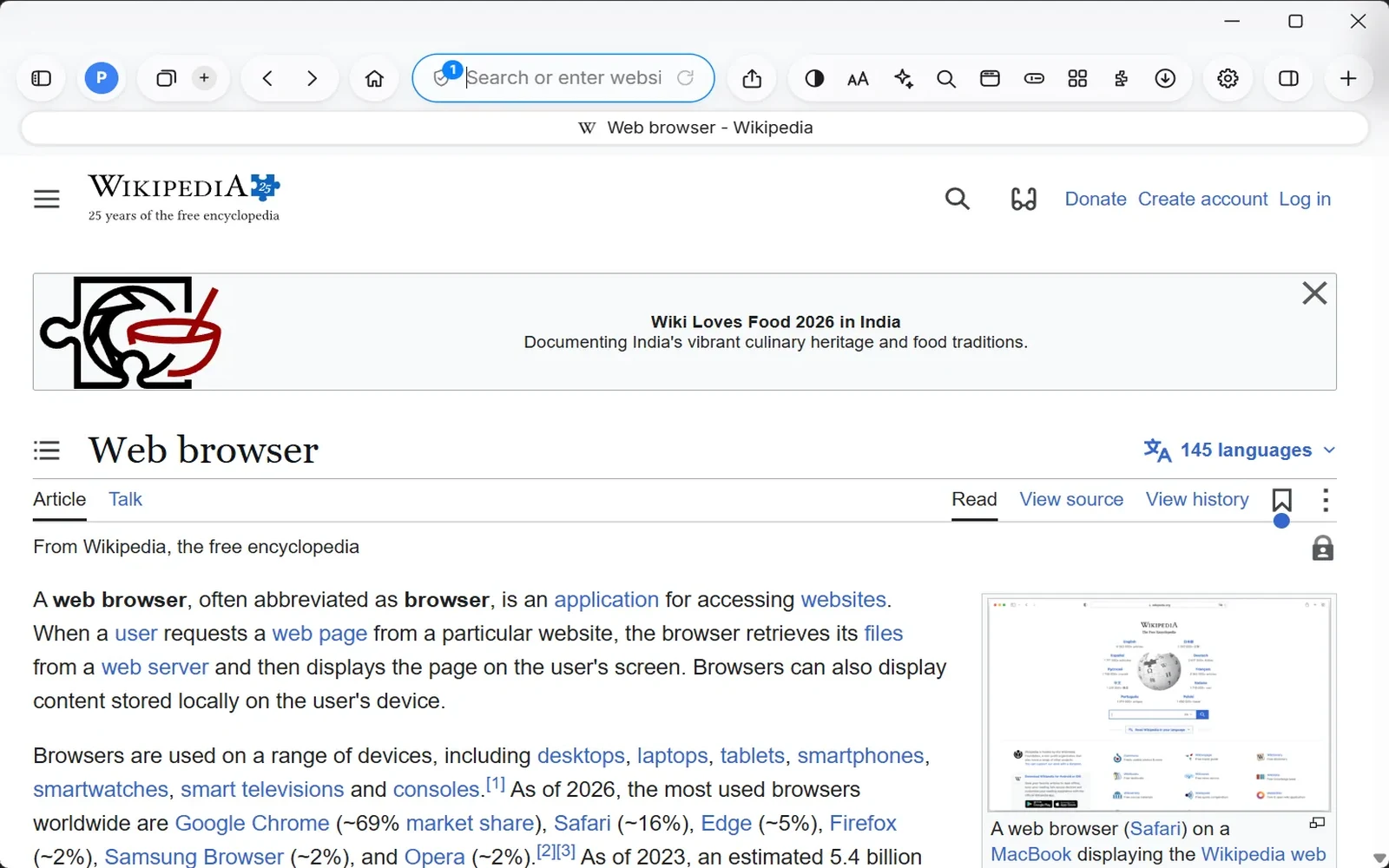
Safari for Windows live glass over a website

The page blurs behind your toolbar as you scroll. Live on the GPU, in light and dark.
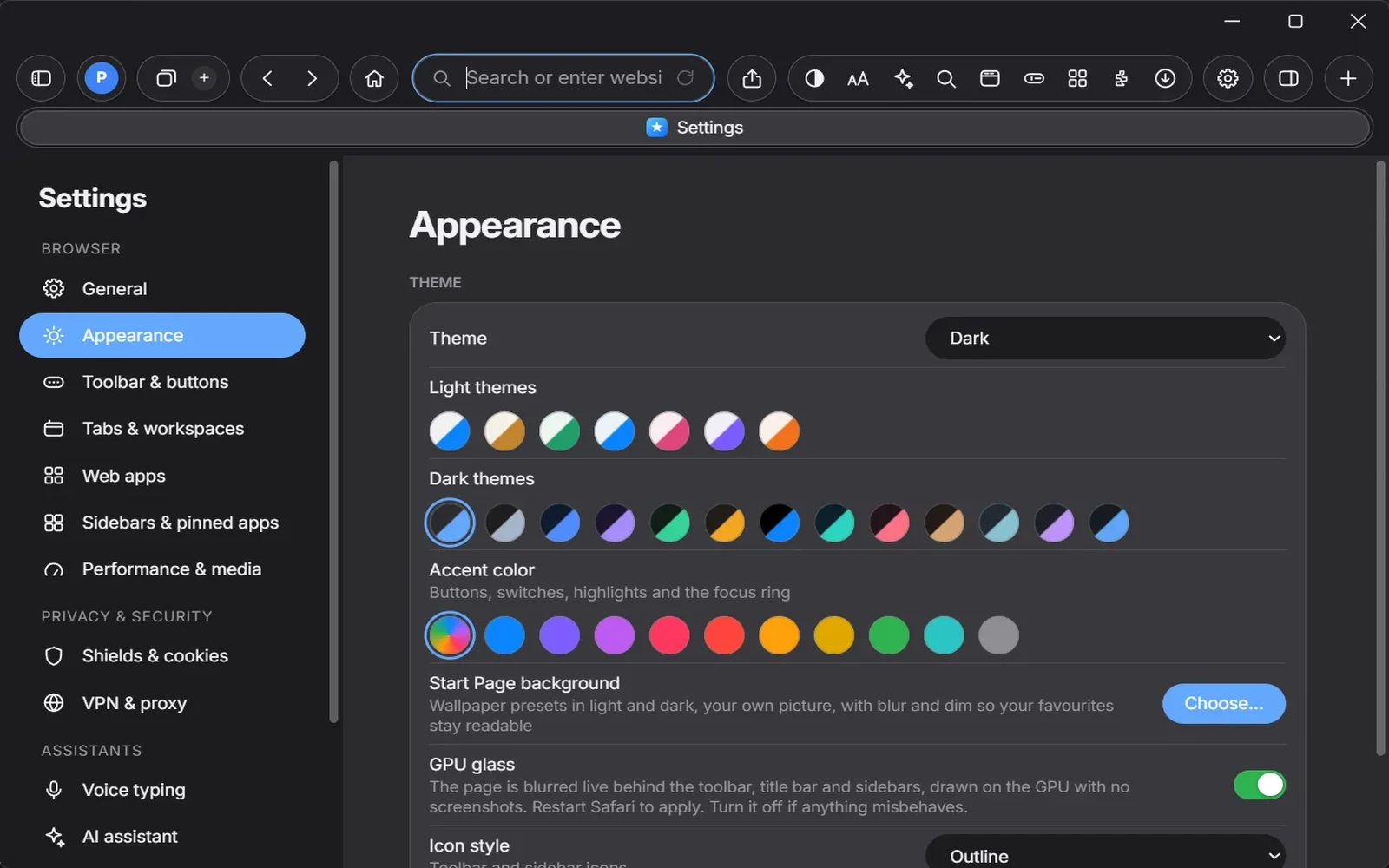
Safari for Windows appearance settings

18 themes and ten accent colours. Pick the look you like.
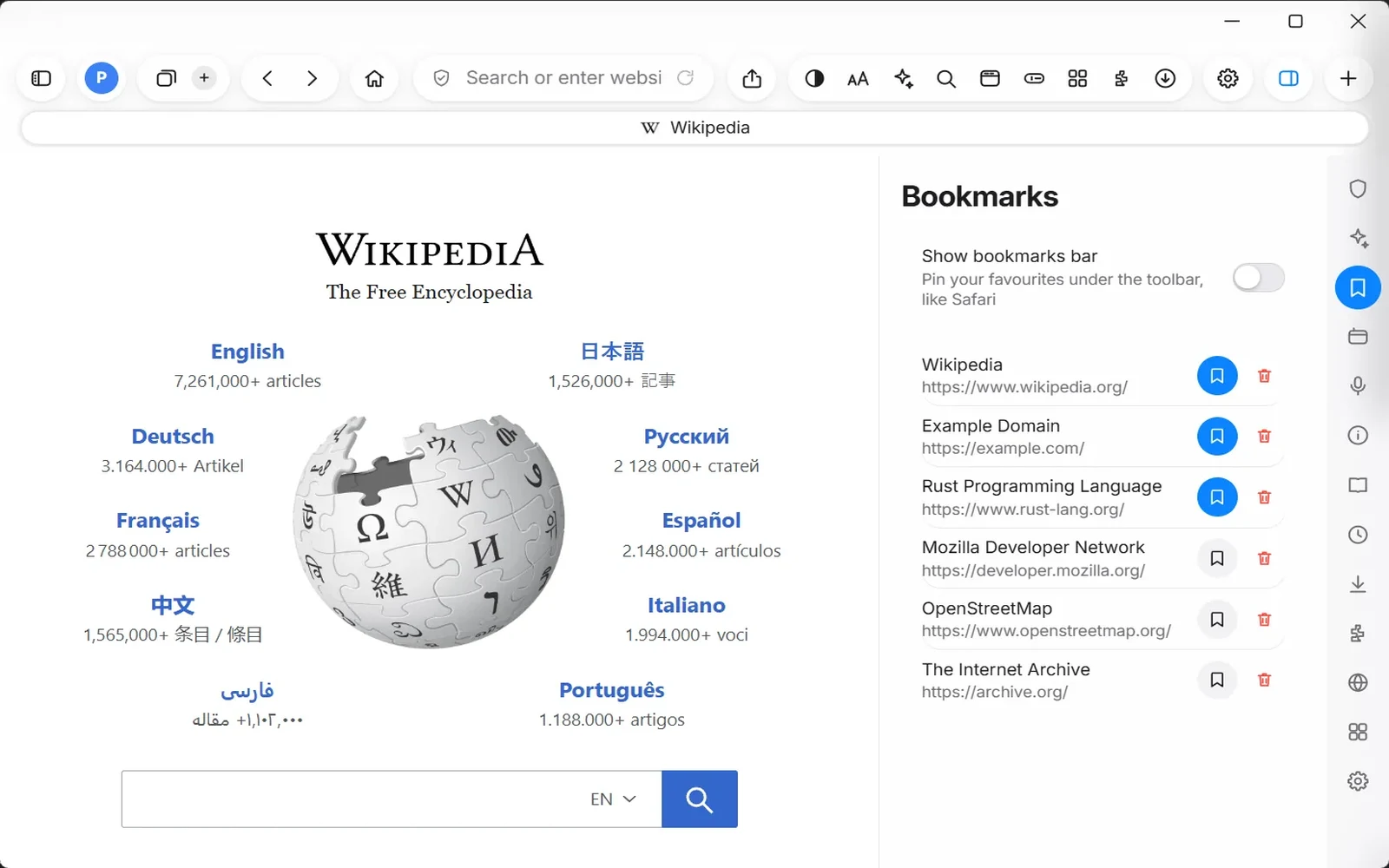
Safari for Windows bookmarks sidebar

Bookmarks, reading list, history and downloads. Import from Chrome, Edge and Brave.
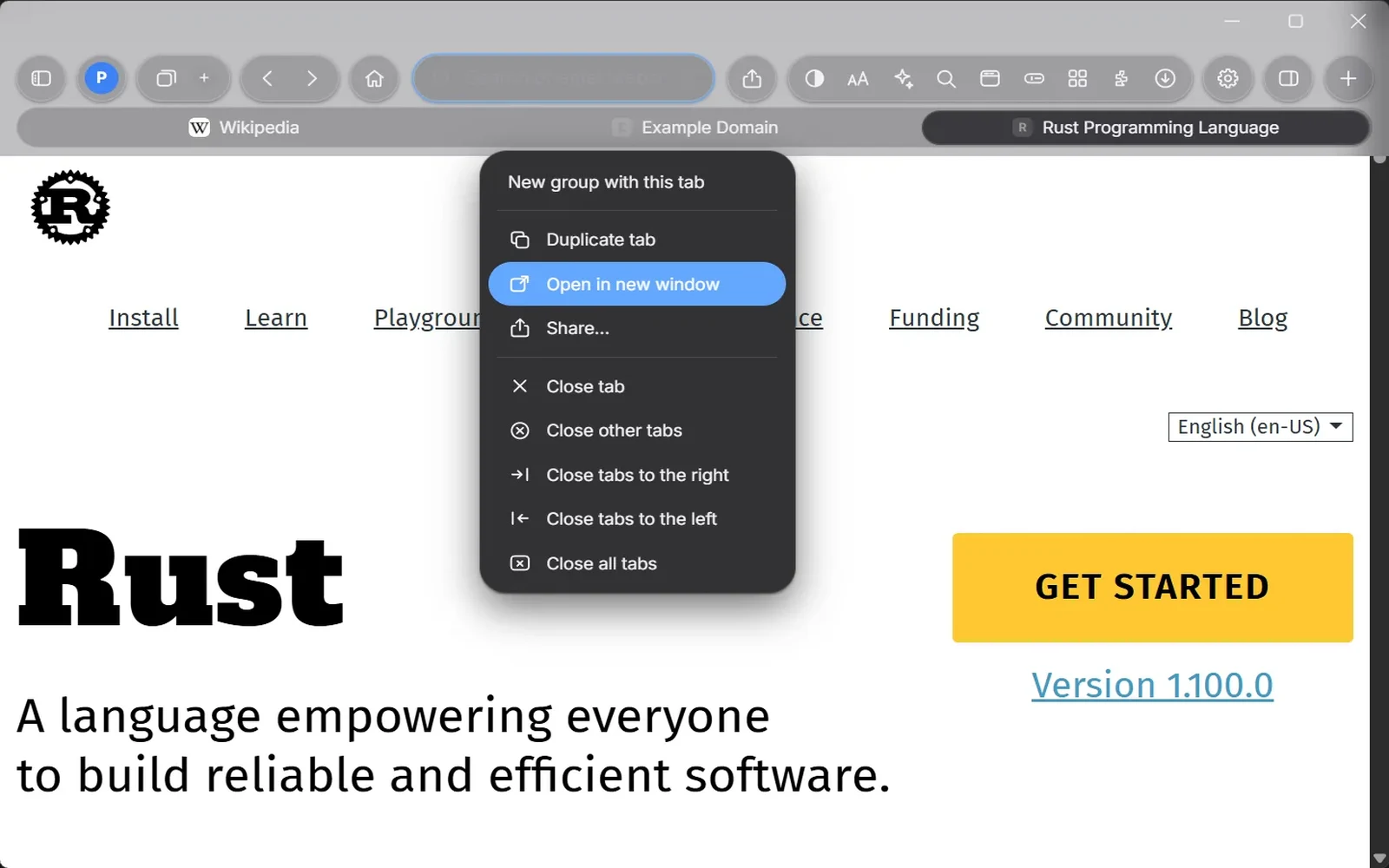
Safari for Windows tab menu

Tab groups, workspaces and compact tabs. Open in a new window, share or close others.

Six things Safari for Windows does

A calm browser with the engine you already trust.

Live glassThe page under the toolbarThe title bar, tab strip, toolbar and sidebars are see-through glass, blurred live on the GPU.
TabsGroups and workspacesCompact tabs, colour tab groups and workspaces that keep separate sets of tabs.
Start PageFavourites your wayDrag to reorder, folders, wallpaper presets or your own picture.
ShieldsBuilt-in blockingA content blocker, tracking prevention levels, cookie modes and per-site switches.
AssistantsAI and voice typingSummarise or ask about a page with your own key, and dictate with on-device speech.
Themes18 themes12 dark and 6 light themes, ten accent colours and a toolbar you can rearrange.
Glass

The page, blurred behind it.

Live GPU glass.

The page runs under the toolbar, title bar and both sidebars and is blurred live while you scroll. Text and icons stay sharp.

  • Works in light and dark
  • No screenshots and no polling
  • Can be switched off for a solid look
Safari for Windows live glass
Start Page

Your favourites, your way.

Wallpapers and folders.

Favourites with drag to reorder, folders and site icons, with wallpaper presets or your own picture.

  • Blur and dim sliders
  • Optional Privacy Report, reading list and recently closed
  • Saved to a file with a backup copy
Safari for Windows Start Page
Themes

Make it look right.

18 themes.

Twelve dark and six light themes with ten accent colours, plus a choice of icon styles.

  • Rearrange the toolbar by dragging
  • Subtle animations that never bounce
  • Settings to switch buttons on or off
Safari for Windows appearance settings
Sidebar

Everything in reach.

Bookmarks and more.

A bookmarks panel, reading list with unread filter and search, full history and a downloads list.

  • Import from Chrome, Edge and Brave
  • Pin sites in a phone-sized view
  • Shields, assistant and more in the right sidebar
Safari for Windows bookmarks sidebar
Tabs

Tabs that keep up.

Groups and workspaces.

Right-click a tab to duplicate it, open it in a new window, share it, or close others and tabs to the right or left.

  • Colour tab groups
  • Workspaces with separate tabs
  • Session restore and reopen closed tab
Safari for Windows tab menu

A closer look

Light on resources

One small program.

ServicesNo background services
StartupNo startup entry
TelemetryNone

Private by design

Your data stays on your PC.

Shields built inPrivate windowsBackup and restore

Free. No account.

Safari for Windows app icon
Safari for WindowsWeb browser
Price
Free
Version
1.0.0
Runs on
Windows 10 and 11
Admin rights
Not needed
Free

Download, install and you are done.

Coming soon

Install in three steps

  1. Download Safari-Setup-1.0.0.exe and double-click it. It installs for your Windows user only.
  2. If SmartScreen appears, click More info, then Run anyway. The installer is not code-signed yet.
  3. Press Install. The welcome tour helps you pick a theme, import bookmarks and choose a search engine.

What's new

Release notes for Safari for Windows.

Version 1.0.0 · Nov 18, 2026

First public release.

Added

  • Live GPU glass. The page runs under the toolbar, title bar and both sidebars and is blurred live on the GPU by the Windows compositor while you scroll, with no screenshots. Pills, text and icons stay sharp. Light and dark follow your theme.
  • Glass title bar with its own minimise, maximise and close buttons, drag to move, double-click to maximise.
  • Glass sidebars. The left sidebar and right sidebar are see-through glass like the toolbar.
  • Settings switch "GPU glass" (on by default) with the plain solid look as the fallback.
  • Touchpad pinch-zoom and precise two-finger scrolling with live glass.
  • Live search suggestions in the address bar from Google, DuckDuckGo, Bing, Brave, Ecosia, YouTube and Wikipedia, with your bookmarks and history below.
  • Tab menu: open in new window, share, close tabs to the right, close tabs to the left, close all tabs (also in compact tabs). The menu opens at the tab.
  • Backup and Restore in Settings: choose what to include, one .safaribackup file, confirmation before restoring and an automatic safety copy of your current data. Passwords and API keys are never included.
  • Voice typing with an on-device speech engine (whisper.cpp) downloaded on demand, with model, language and microphone choices.
  • Web apps with their own window, Start Page cards, an Apps button and a Settings page.
  • Compact tabs (tabs in the toolbar row), a toolbar switch for it, and a bookmarks-bar toggle (always, or only on the Start Page).
  • Toolbar customisation: drag buttons anywhere, switch each pill on or off.
  • Share menu with a separate round Share button: copy link, QR code, email, add to Start Page, bookmarks bar or a tab group, install as app, Windows share sheet.
  • 18 themes (12 dark, 6 light), ten accent colours, macOS-27-style scrollbars.
  • Start Page wallpapers: presets for light and dark, your own picture, blur and dim.
  • Dark pages: a real dark theme for websites, not an inverted image.
  • Workspaces, tab groups and a groups pill.
  • Settings split into categories, with switches to show or hide each toolbar pill.
  • Hide toolbars while scrolling.
  • Single per-user installer, no administrator rights, silent install with --silent.

Changed

  • Light and Dark themes now apply to the Start Page, Settings and sidebars even when Windows uses the other mode. Previously a light theme on a dark Windows showed dark internal pages.
  • Settings: the theme preview circles are clean half-circles with a clear selection ring.
  • Sidebar lists (Bookmarks, Reading List, Extensions) show one tidy line per item with round icon buttons instead of wrapping text and uneven buttons.
  • The Start Page Edit button and its Customise popup stay clear of the toolbar and the sidebars.
  • The "Return to search with ..." hint was removed from the address bar.
  • Start-up is faster: the home page is ready immediately and site icons load lazily.
  • Window colours for the title bar match the toolbar in every theme when glass is off.
  • Many small alignment and animation fixes across the toolbar, tab strip and Settings.

Fixed

  • Start Page folders could reset after clearing site data or a very fast close. Favourites, folders and the look are now also stored in a file with a backup copy.
  • The window close button did nothing when several tabs were open.
  • Pop-ups and modals on some websites could not be scrolled.
  • Site icons did not fill the squircle on the Start Page, and folder icons were not visible.
  • The bookmarks-bar fade sat over the scroll button instead of at the edge of the items.
  • Tab menu actions did not appear in compact mode because the toolbar's own menu covered them.
  • Several layout bugs in the toolbar, group pill and profile pill when space was tight.

Known limitations

  • The installer is not code-signed, so Windows SmartScreen shows a warning on first run.
  • No built-in password manager yet.
  • A two-finger swipe for back and forward is not supported with live glass (buttons and shortcuts work).
  • Extensions have no toolbar popup (a WebView2 limit).
  • The WireGuard import only stores the config; use SOCKS5 or HTTP proxies.

Telegram: https://t.me/gadgetcue · YouTube and Instagram: @gadgetcue · Facebook: @gadgetcue1

Questions

Is this made by Apple?

No. Safari for Windows is an independent project. It is not made by, affiliated with or endorsed by Apple Inc. The name and the macOS-inspired look are a design tribute.

Which engine does it use?

The Microsoft Edge WebView2 Runtime already built into Windows 11 and up-to-date Windows 10, the same Chromium engine as Edge, so sites behave as you expect.

Does it need admin rights?

No. It installs for your Windows user only and needs about 30 MB of disk space.

Why does SmartScreen show a warning?

The installer is not code-signed yet. Click More info, then Run anyway.

What is missing for now?

There is no built-in password manager yet, and a two-finger swipe back and forward is not supported while live glass is on. Back and forward buttons and shortcuts work.

Browse with a clearer view.

Free. No account needed.

Coming soonSee all apps