Get the apps
Apps › Windows › Video Player
NewSee what's new in Video Player
FreeVersion 0.1.0Windows 10 and 11

Plays almost anything, with a floating control bar drawn over the video, 15 themes and almost no memory use. Installs for your account with no admin rights.

Windows 10 and 11, 64-bit · Installs for your user, no admin rights
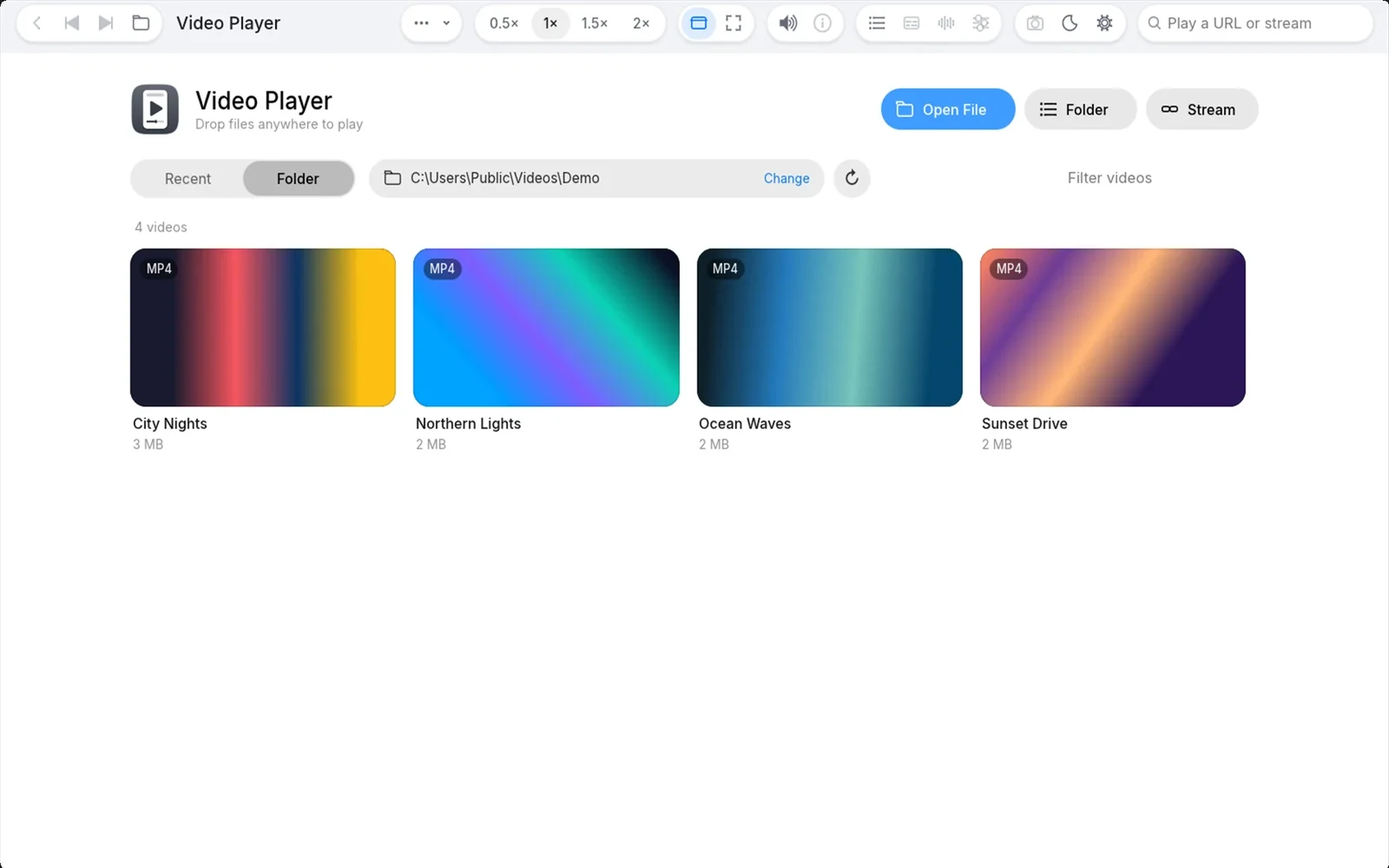
Video Player home screen with a folder of videos

A home screen with Recent and Folder tabs and thumbnails. Drop a file anywhere to play.
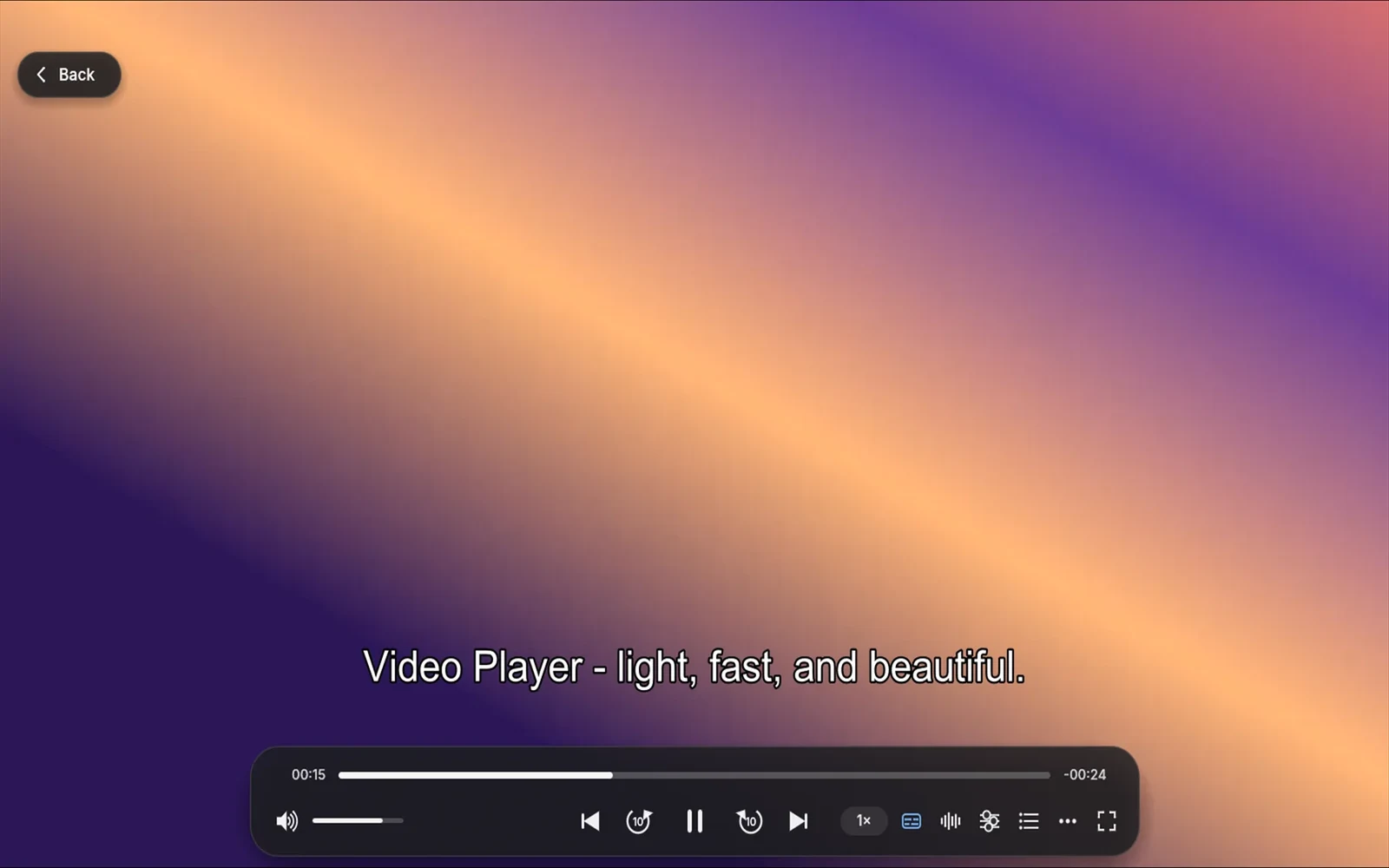
Video Player playing a video with the floating control bar and subtitles

A translucent bar floats over the video and hides with the cursor. Subtitles render with libass.
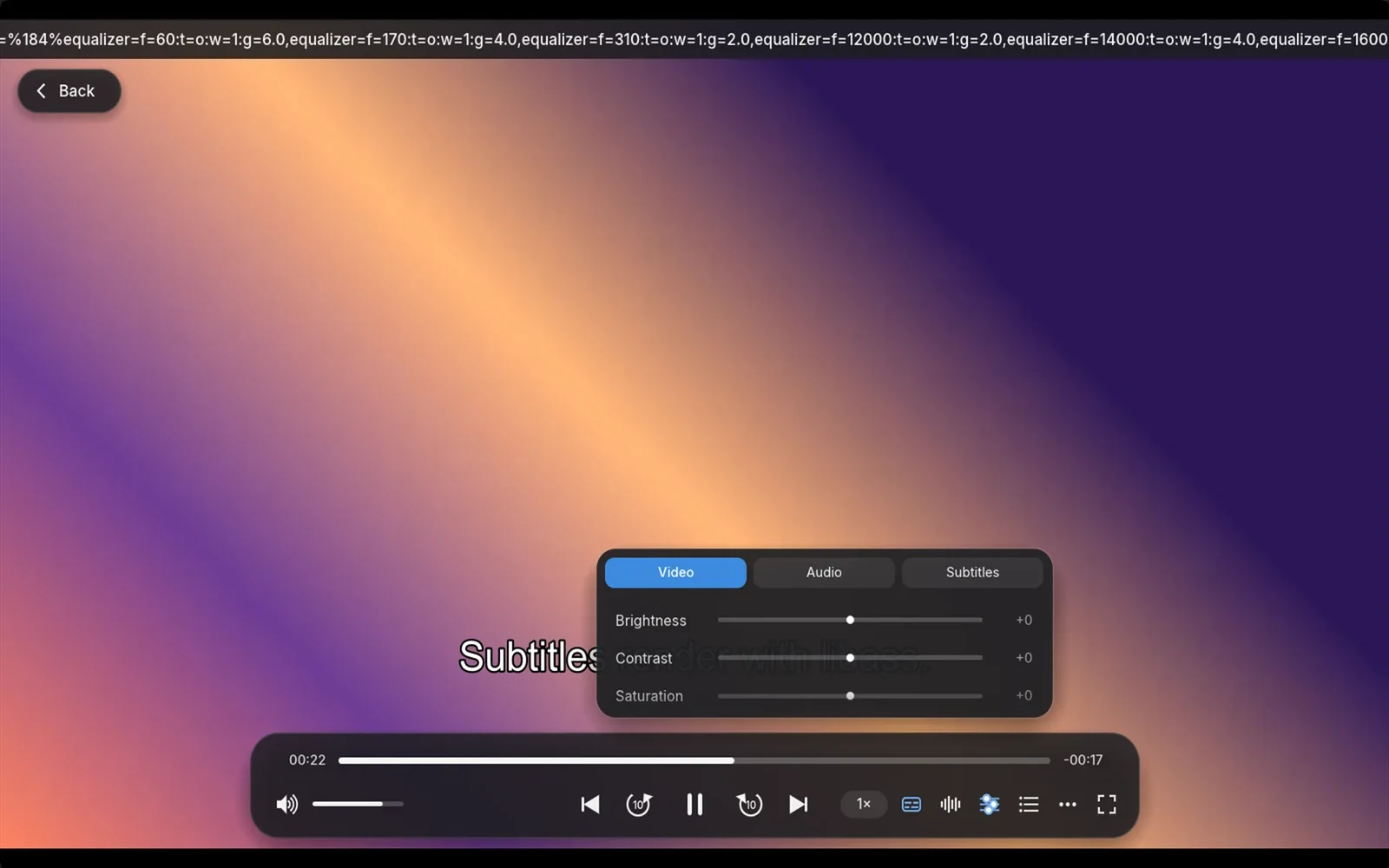
Video Player picture adjustments

Brightness, contrast, saturation, gamma, hue, zoom and aspect ratio. Rotate, mirror or flip.
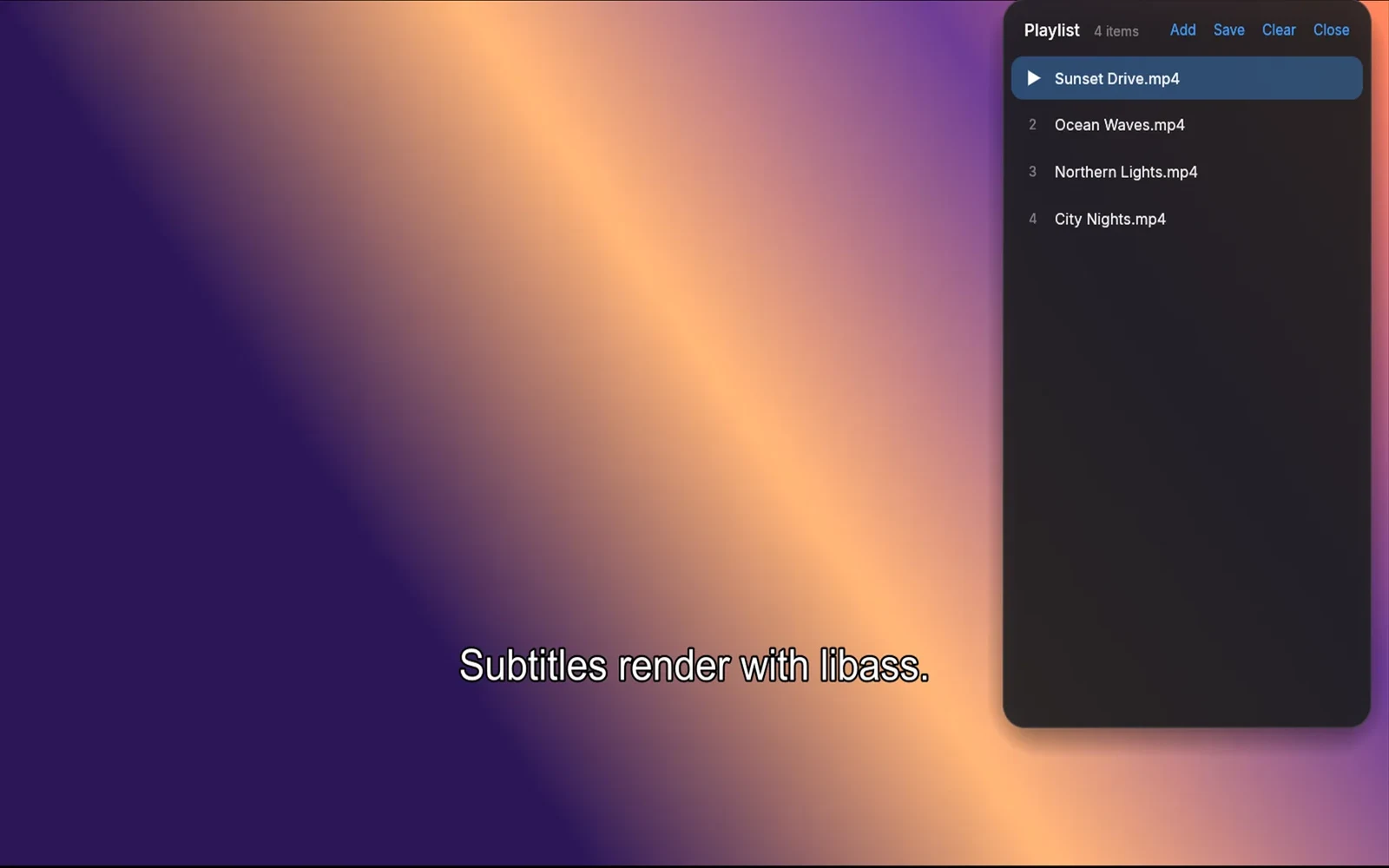
Video Player playlist panel

Queue files, shuffle and repeat. Save as m3u8.
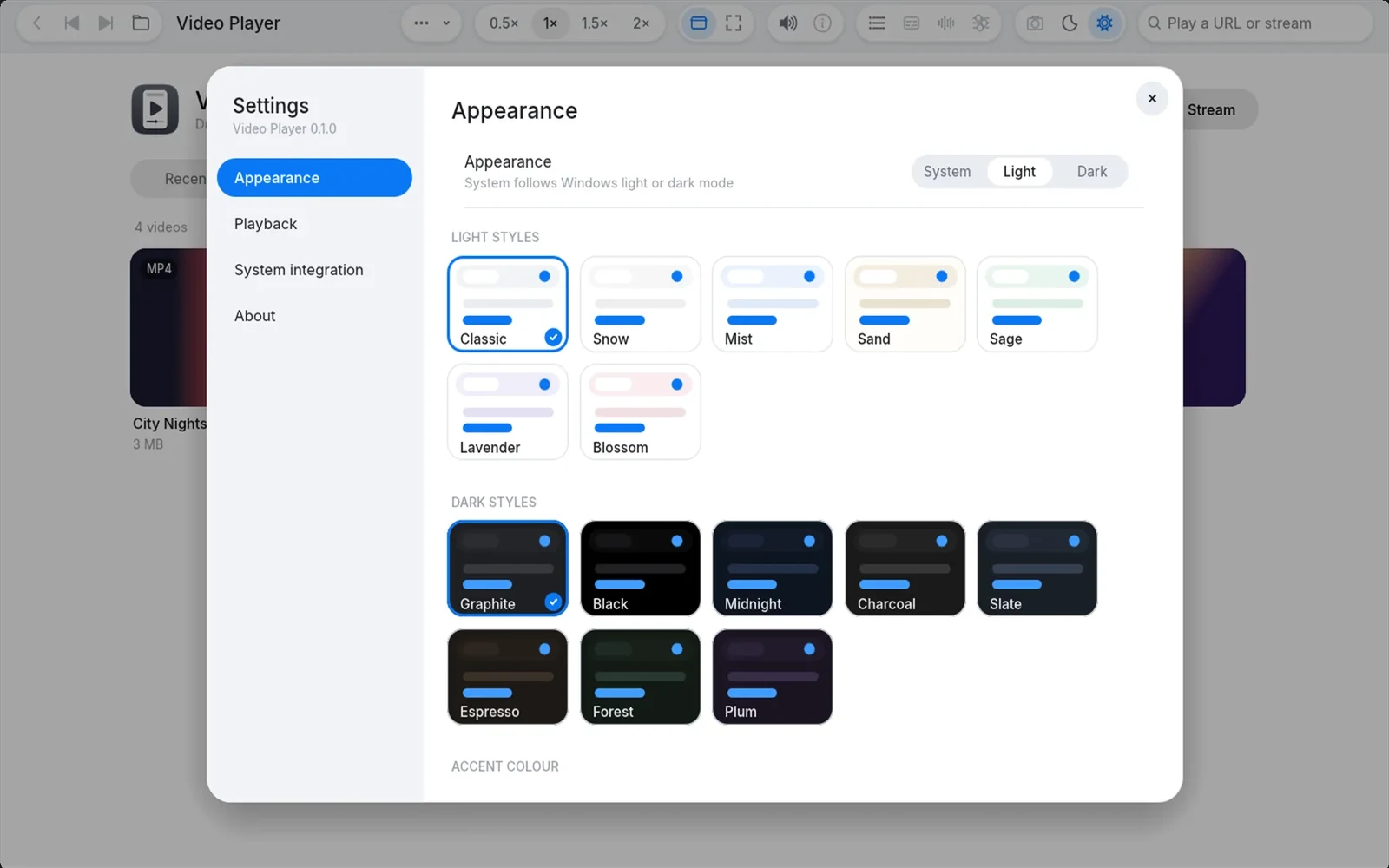
Video Player appearance settings with light and dark themes

Eight dark and seven light themes. Ten accent colours.
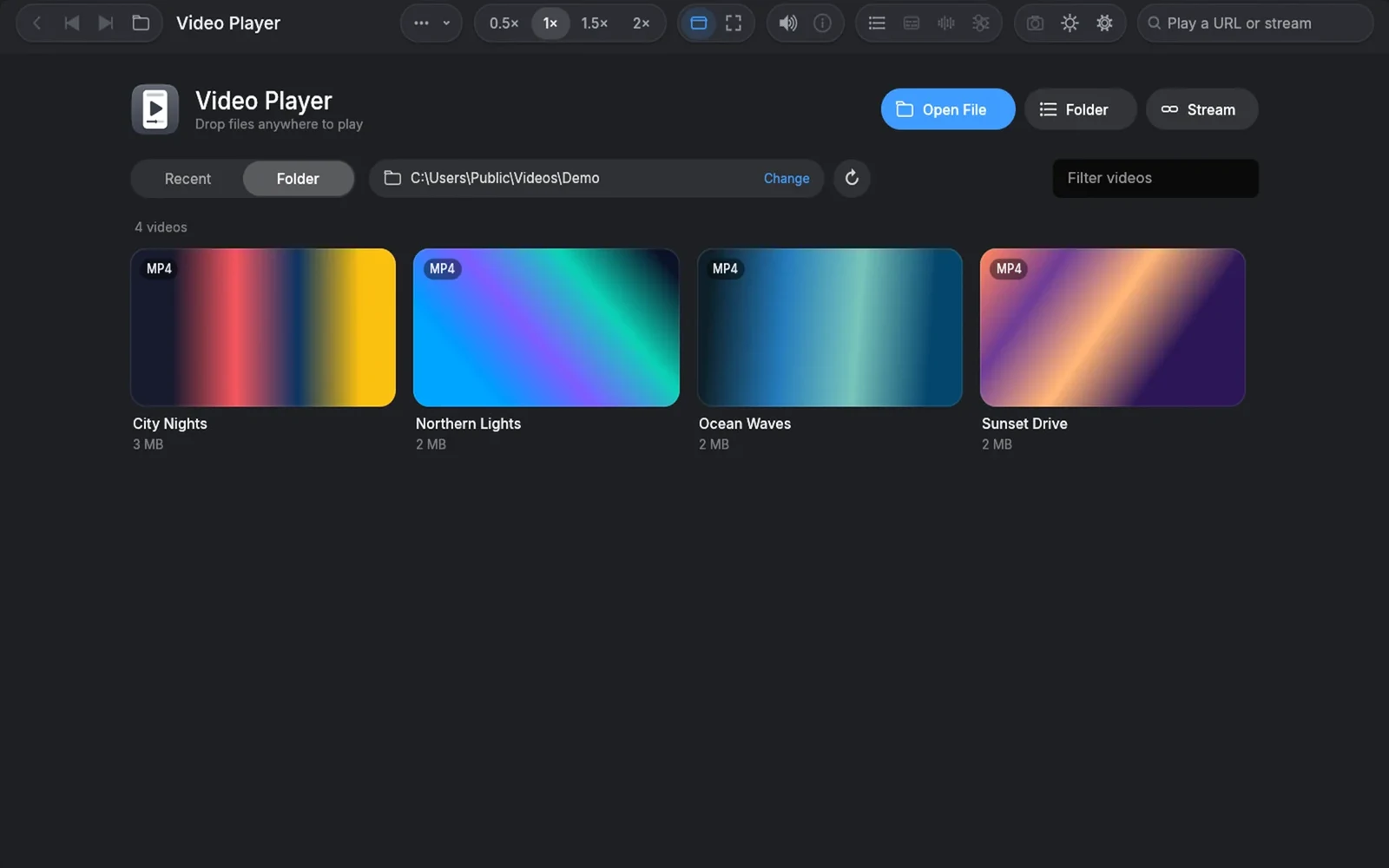
Video Player home screen in dark mode

Light, dark or follow Windows. The title bar matches the theme.

Six things Video Player does

Everything you need, without the weight.

PlaybackPlays what FFmpeg playsmp4, mkv, avi, mov, webm, flac, mp3 and more through libmpv, with D3D11 hardware decoding.
SubtitlesEmbedded and externalsrt, ass, ssa, vtt, sub and sup, with size, position and delay controls.
Audio10-band equalizerPresets, preamp, a volume normalizer and volume up to 130%.
PictureTune the imageBrightness, contrast, saturation, gamma and hue, plus aspect, rotate and deinterlace.
ResumePick up where you left offRemembers the position of every file, and plays network streams too.
Themes15 themes, 10 accentsLight, dark or follow Windows, with a customisable pill toolbar.
Library

Your videos, one click away.

Home screen.

Recent and Folder tabs show cached thumbnails, with a live filter. Drag and drop files, folders or links anywhere, or paste a URL.

  • Open file, folder or stream
  • Resume where you left off
  • Thumbnails cached on disk
Video Player library
Controls

A control bar that stays out of the way.

Floating and translucent.

The bar sits on top of the video and hides with the cursor. Seek with hover time and chapter ticks, change speed and open subtitle, audio and picture menus.

  • Speed 0.25x to 4x, frame step, A-B loop
  • Chapters, DVD and Blu-ray folders and ISO images
  • Screenshots saved to Pictures
Video Player floating control bar
Playlist

Queue it up.

Playlists.

Drop several files or a folder and they play in natural order. Shuffle, repeat and save your queue.

  • Loads m3u, m3u8 and pls
  • Shuffle and repeat off, one or all
  • Media information panel with codec and bitrate
Video Player playlist
Themes

Make it yours.

15 themes.

Pick Light, Dark or follow Windows, then one of 15 themes and 10 accent colours. Reorder and hide toolbar buttons in the toolbar editor.

  • 8 dark and 7 light themes
  • Native title bar tinted to match
  • Welcome tour and Settings window
Video Player appearance settings

A closer look

Always at hand

Small touches that keep it out of your way.

Idle CPU0%
InstallPer user, no admin prompt
Open withVideo and audio files

Make it look right

Match Windows, or choose your own.

15 themes10 accentsPill toolbar editor

Free. No account.

Video Player app icon
Video PlayerMedia player
Price
Free
Version
0.1.0
Runs on
Windows 10 and 11
Admin rights
Not needed
Free

Download, install and you are done.

Coming soon

Install in three steps

  1. Download VideoPlayer-Setup-0.1.0.exe and double-click it. It installs for your account only.
  2. If SmartScreen appears, click More info, then Run anyway. The installer is not code-signed yet.
  3. Right-click a video and choose Open with, or open Video Player from the Start menu.

What's new

Release notes for Video Player.

Version 0.1.0 · Nov 18, 2026

A light, fast, beautiful media player for Windows, built in Rust on libmpv.

Highlights

  • Plays everything FFmpeg can decode, with D3D11 hardware decoding
  • Floating translucent Apple-style control bar; Recent and Folder home screen with thumbnails
  • Resume per file, playlists (m3u/m3u8/pls), network streams, chapters, A-B loop, speed 0.25-4x
  • Subtitles (embedded + external, libass), audio tracks, 10-band equalizer, video adjustments
  • Light / Dark / System, 15 themes, 10 accents, customisable pill toolbar, touchpad gestures
  • Per-user install: Start menu, Installed apps, Open with, optional right-click entry, clean uninstall

Changelog

See CHANGELOG.md.

Known limitations

Disc menus, seek-bar thumbnail previews, subtitle download and conversion are not implemented yet. Installer is unsigned.

Follow GadgetCue: Telegram https://t.me/gadgetcue · YouTube @gadgetcue · Instagram @gadgetcue · Facebook @gadgetcue1

Questions

Does it need admin rights?

No. It installs for your account, adds a Start menu entry and appears in Installed apps and the Open with list.

Which formats does it play?

Anything FFmpeg can decode, through libmpv: mp4, mkv, avi, mov, webm, flac, mp3, opus and more, plus network streams such as HLS, RTSP and RTMP.

Is it heavy?

No. It idles at 0% CPU and loads the playback engine only when you open a file.

Why does SmartScreen show a warning?

The installer is not code-signed yet. Click More info, then Run anyway.

Press play. Skip the bloat.

Free. No account needed.

Coming soonSee all apps